クリーンなSVG入力
パスベースのアートワーク、ロゴ、ラベル、ダイアグラム、SVG図面に最適です。ライブテキスト、ラスター画像、マスク、フィルター、グラデーション、複雑なエフェクトは、アップロード前にフラット化する必要があります。
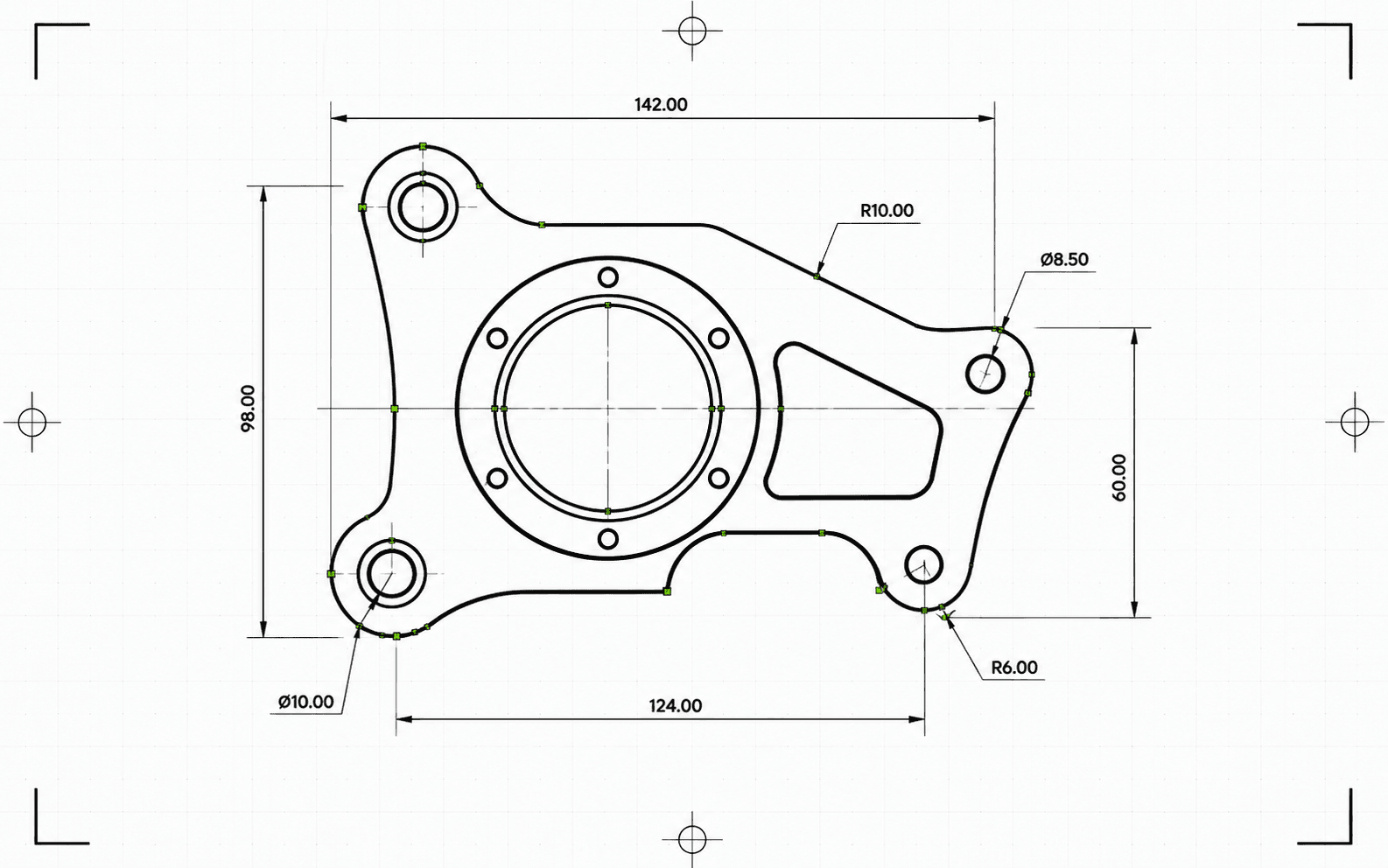
Pixel2Linesは、パスベースのSVGファイルをミリメートル単位のDXF R2010に変換します。ベジェ曲線は円形許容値に対してテストされ、フィットが合格した場合はポリラインセグメントにフラット化されるのではなく、真のARCエンティティとして書き出されます。SVGのカラーはDXFレイヤーにマッピングされ、赤いパスはCut、青はScore、緑はEngraveに割り当てられます。黒および無彩色のパスはデフォルトでCutになります。セマンティックなグループID(CUT_HOLES、CUT_OUTER、DETAIL)は、正確なDXFレイヤー名として保持されます。書き出し前にジオメトリは自動的にクリーンアップされます。短いセグメント、重複するエンティティ、わずかなギャップのあるオープンパスが自動的に解決されます。
変換前に、パイプラインはSVGを検証します。ライブテキストは特定のエラーとともにジョブをブロックし、明示的な物理寸法のないSVGは黙ってスケーリングされるのではなくブロックされます。グラデーション、マスク、フィルター、クリップパスは警告とともにスキップされます。これらは事前にSVGエディターでフラット化する必要があります。DXFファイルと、ステータス、ブロッカー、警告、確認済みの寸法、レイヤーごとのエンティティ数、実行されたクリーンアップアクション、アーティファクトサイズ、チェックサムを含むJSONレポートを受け取ります。
パスベースのSVGファイルを、検証済みのスケール、円弧精度のジオメトリ、変換ごとのJSONレポートとともに、ミリメートル単位のDXF R2010に変換します。
パスベースのアートワーク、ロゴ、ラベル、ダイアグラム、SVG図面に最適です。ライブテキスト、ラスター画像、マスク、フィルター、グラデーション、複雑なエフェクトは、アップロード前にフラット化する必要があります。
物理寸法は必須条件として扱われます。mm、cm、またはインチで明示的な幅と高さを持つSVGは、宣言されたサイズで変換されます。物理単位のないViewBoxのみのSVGはブロックされます。検証されていないスケールでDXFは生成されません。出力DXFはヘッダー($INSUNITS=4)でミリメートルを宣言します。
ベジェ曲線は、0.01 mmの許容値で5点サンプルを使用して円に対してフィットされます。合格した曲線はARCエンティティとして書き出され、合格しなかった曲線は同じ許容値でラインセグメントとして近似されます。書き出し後、DXFは検証されます。単位ヘッダー、有限の範囲、エンティティ数、座標の妥当性がチェックされます。出力はR2010形式で、AutoCAD、LightBurn、RDWorks、Fusion 360、および標準的なCAMソフトウェアで読み取り可能です。
検証済みのDXFファイルと、ステータス、警告、ブロッカー、寸法、レイヤー割り当て、エンティティ数、クリーンアップノート、バイトサイズ、チェックサムを含むJSONレポートをダウンロードします。DXF内のエンティティは切断用に順序付けられており、内側の形状が外側のアウトラインより先に配置されるため、周囲の素材が外れる前に内側の切り抜きが完了します。
CAD、レーザーソフトウェア、CAMへの引き渡し向けの信頼できる2D SVGからDXFへのジオメトリ変換に特化しています。ラスター画像、ライブテキスト、マスク、フィルター、グラデーション、複雑なビジュアルエフェクトは事前にフラット化する必要があります。CNCツールパス生成およびルーターCAM操作は含まれません。
CADインポート、レーザーソフトウェア、CAMへの引き渡し、ベクターアーカイブ向けの、ミリメートル単位のDXF R2010出力。
ステータス、ブロッカー、警告、寸法、レイヤー、エンティティ数、クリーンアップアクション、チェックサムを含む、構造化されたプリフライトおよび納品レポート。
実際のベクタージオメトリを持つパスベースのSVGを使用してください。アップロード前に、ライブテキストをアウトライン化し、埋め込み画像、マスク、フィルター、クリップパス、グラデーション、その他のビジュアルエフェクトをフラット化してください。
コンバーターはサポートされていないSVG機能、透明または不可視のジオメトリ、欠落している物理寸法をチェックします。信頼できない出力を生成するジョブは、DXFが書き出される前に特定のエラーでブロックされます。
検証済みのDXF R2010ファイルと、チェックサム、バイトサイズ、エンティティ数を含むJSONレポートをダウンロードします。変換中に問題が検出された場合、警告とブロッカーがレポートに含まれます。
DXF入力を必要とするCADアプリケーション向けに、SVGロゴ、レイアウト、ラベル、図面、ダイアグラムを準備します。
SVGがサポートする場合、クリーンなベクターパスをCut、Score、Engrave、またはセマンティックな製造レイヤー付きのDXFに変換します。
下流のCAD/CAMセットアップのためのDXF交換ファイルを作成します。ツールパス、Z深度、タブ、ポケット加工、カッター補正はCAMソフトウェアに残ります。
クライアントのアートワークと製造図面を、レポートに裏付けされた出所とともにCADに適したベクター形式で保存します。
カラーとサポートされているグループセマンティクスを使用して、Cut、Score、Engrave、CUT_HOLES、CUT_OUTER、DETAILなどのDXFレイヤーを整理します。
本格的な変換を開始する前に、ドライランの変換を実行して、サポートされていない機能、あいまいな寸法、ジオメトリの問題を検出します。
クリーンなパスベースのSVGファイルが最適です。アップロード前に、埋め込み画像、ライブテキスト、マスク、フィルター、グラデーション、クリップパス、外部CSS、およびサポートされていないエフェクトをフラット化してください。
出力にはLINE、ARC、CIRCLE、LWPOLYLINEエンティティが使用されます。これらはAutoCAD、LightBurn、RDWorks、Fusion 360、およびほとんどのレーザーコントローラーでサポートされているタイプです。SPLINEエンティティは書き出されないため、古いマシンコントローラーとの互換性が確保されます。0.01 mm以内で円形に一致するベジェ曲線はARCエンティティとして書き出され、それ以外は同じ許容値でラインセグメントになります。完全な円は検出され、CIRCLEエンティティとして書き出されます。
mm、cm、またはインチで明示的な幅と高さを持つSVGは、宣言された寸法で変換されます。ピクセルベースのSVGはデフォルトで96 DPIを使用します。明示的な物理単位のないViewBoxのみのSVGはブロックされます。検証されていないスケールでDXFが納品されることはありません。
DXFファイルと、ステータス、ブロッカー、警告、寸法、エンティティおよびレイヤー数、検証の詳細、アーティファクトサイズ、チェックサムを含む構造化されたJSON変換レポートを受け取ります。CNCルーターのツールパス、Z深度、タブ、ポケット、リードイン、送り、速度、カッター補正はCAMソフトウェアに残ります。
