Čistý vstup SVG
Vhodné pro grafiku, loga, štítky, diagramy a technické výkresy ve formátu SVG. Živý text, rastrové obrázky, masky, filtry, přechody a komplexní efekty je nutné před nahráním sloučit.
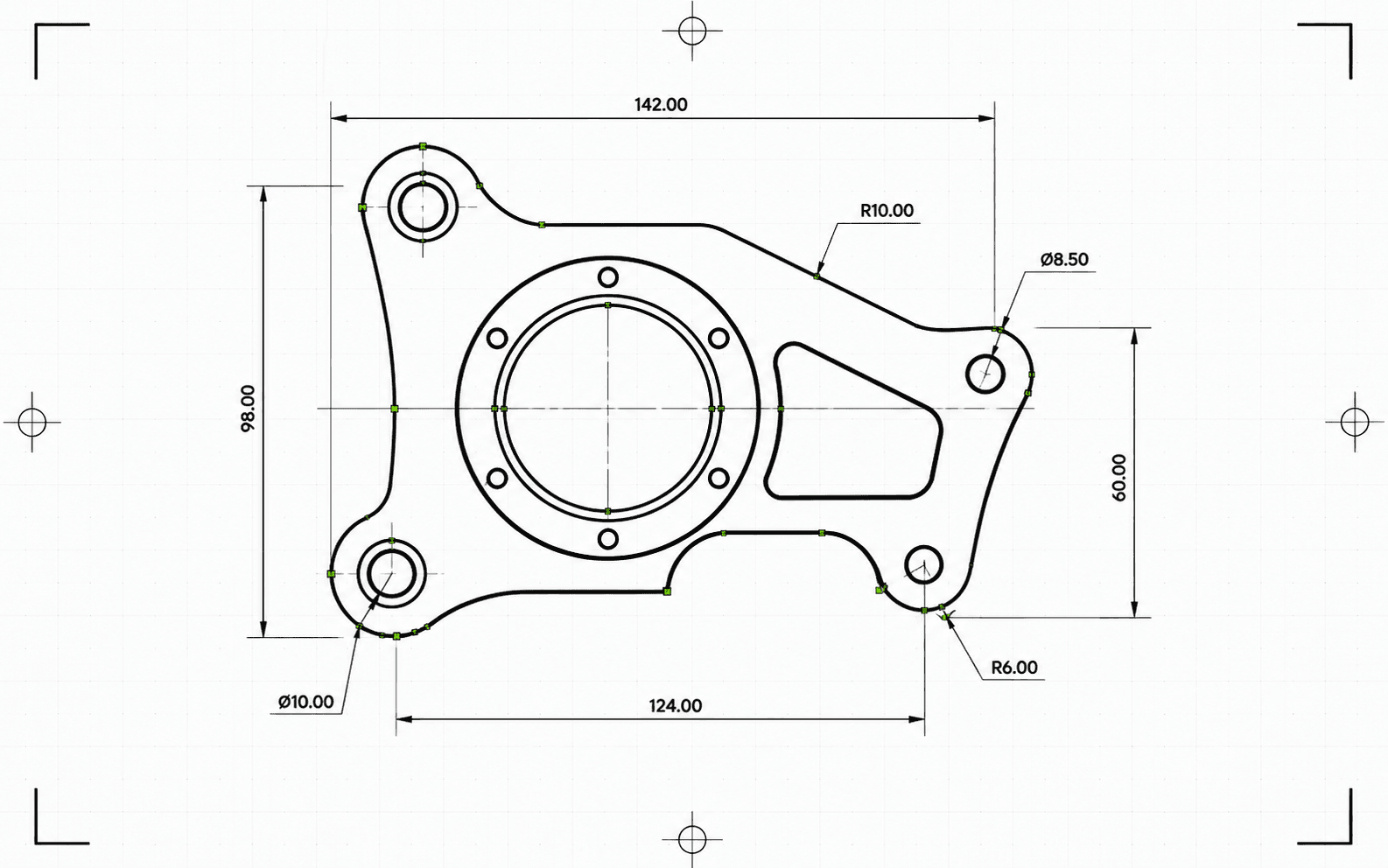
Pixel2Lines převádí SVG soubory založené na cestách do DXF R2010 v milimetrech. Bezierovy křivky jsou testovány vůči kruhové toleranci a tam, kde shoda projde, jsou zapsány jako skutečné entity ARC — namísto sloučení do úseček LWPOLYLINE. Barvy SVG se mapují na vrstvy DXF: červené cesty na Cut, modré na Score, zelené na Engrave. Černé a achromatické cesty se přiřazují do Cut. Sémantická skupinová ID (CUT_HOLES, CUT_OUTER, DETAIL) jsou zachována jako přesné názvy vrstev DXF. Před zápisem je geometrie vyčištěna: krátké segmenty, duplicitní entity a otevřené cesty s malou mezerou jsou automaticky opraveny.
Před konverzí pipeline ověří SVG: živý text zablokuje úlohu se specifickou chybou a SVG soubory bez explicitních fyzických rozměrů jsou zablokovány, nikoli tiše přeškálovány. Přechody, masky, filtry a ořezové cesty jsou přeskočeny s upozorněními — je nutné je nejprve sloučit v editoru SVG. Obdržíte soubor DXF a zprávu JSON se stavem, blokátory, upozorněními, ověřenými rozměry, počty entit na vrstvu, provedenými akcemi čištění, velikostí artefaktu a kontrolními součty.
Převádějte SVG soubory založené na cestách do DXF R2010 v milimetrech s ověřeným měřítkem, přesnou obloukovou geometrií a zprávou JSON ke každé konverzi.
Vhodné pro grafiku, loga, štítky, diagramy a technické výkresy ve formátu SVG. Živý text, rastrové obrázky, masky, filtry, přechody a komplexní efekty je nutné před nahráním sloučit.
Fyzické rozměry jsou povinným požadavkem. SVG soubory s explicitní šířkou a výškou v mm, cm nebo palcích jsou převedeny v deklarovaném měřítku. SVG soubory pouze s atributem viewBox bez fyzických jednotek jsou zablokovány — DXF není vytvořen v neověřeném měřítku. Výstupní DXF deklaruje milimetry v záhlaví ($INSUNITS=4).
Bezierovy křivky jsou přizpůsobeny kružnici pomocí vzorku 5 bodů s tolerancí 0,01 mm. Křivky, které projdou, jsou zapsány jako entity ARC; ostatní jsou aproximovány jako úsečky se stejnou tolerancí. Po zápisu je DXF validován: záhlaví jednotek, konečné extenty, počty entit a platnost souřadnic. Výstup je ve formátu R2010, čitelném aplikacemi AutoCAD, LightBurn, RDWorks, Fusion 360 a standardním CAM softwarem.
Stáhněte validovaný soubor DXF a zprávu JSON se stavem, upozorněními, blokátory, rozměry, přiřazeními vrstev, počty entit, poznámkami k čištění, velikostmi v bajtech a kontrolními součty. Entity v DXF jsou seřazeny pro řezání: vnitřní tvary předcházejí vnějším obrysům, takže vnitřní výřezy jsou dokončeny dříve, než je uvolněn okolní materiál.
Zaměřeno na spolehlivou 2D konverzi geometrie SVG-DXF pro CAD, laserový software a předání do CAM. Rastrové obrázky, živý text, masky, filtry, přechody a komplexní vizuální efekty je nutné předem sloučit. Generování drah nástrojů pro CNC a CAM operace routeru nejsou součástí služby.
Výstup DXF R2010 v milimetrech pro import do CAD, laserový software, předání do CAM a vektorové archivování.
Strukturovaná předletová a doručovací zpráva se stavem, blokátory, upozorněními, rozměry, vrstvami, počty entit, akcemi čištění a kontrolními součty.
Použijte SVG soubor s reálnou vektorovou geometrií založenou na cestách. Před nahráním převeďte živý text na obrysy a sloučte vložené obrázky, masky, filtry, ořezové cesty, přechody a další vizuální efekty.
Převodník zkontroluje nepodporované prvky SVG, průhlednou nebo neviditelnou geometrii a chybějící fyzické rozměry. Úlohy, které by produkovaly nespolehlivý výstup, jsou zablokovány se specifickou chybou ještě před zápisem DXF.
Stáhněte validovaný soubor DXF R2010 a zprávu JSON s kontrolními součty, velikostmi v bajtech a počty entit. Upozornění a blokátory jsou ve zprávě zahrnuty v případě, že během konverze byly zjištěny problémy.
Připravte SVG loga, rozvržení, štítky, výkresy a diagramy pro CAD aplikace vyžadující vstup ve formátu DXF.
Převeďte čisté vektorové cesty do DXF s vrstvami Cut, Score, Engrave nebo sémantickými výrobními vrstvami, pokud je SVG podporuje.
Vytvořte výměnný soubor DXF pro navazující nastavení CAD/CAM. Dráhy nástroje, hloubka Z, přídržky, kapsování a kompenzace řezného nástroje zůstávají v CAM softwaru.
Uchovávejte klientská grafická díla a výrobní výkresy ve vektorovém formátu vhodném pro CAD s provenancí doloženou zprávou.
Využijte barvy a podporovanou skupinovou sémantiku k organizaci vrstev DXF, jako jsou Cut, Score, Engrave, CUT_HOLES, CUT_OUTER a DETAIL.
Spusťte zkušební konverzi a odhalte nepodporované prvky, nejednoznačné rozměry a problémy s geometrií ještě před zahájením plné konverze.
Nejlépe fungují čisté SVG soubory založené na cestách. Před nahráním sloučte vložené obrázky, živý text, masky, filtry, přechody, ořezové cesty, externí CSS a nepodporované efekty.
Výstup používá entity LINE, ARC, CIRCLE a LWPOLYLINE — typy podporované aplikacemi AutoCAD, LightBurn, RDWorks, Fusion 360 a většinou laserových řadičů. Entity SPLINE nejsou zapisovány, což zajišťuje kompatibilitu se staršími strojními řadiči. Bezierovy křivky, které odpovídají kruhovému tvaru s tolerancí 0,01 mm, jsou zapsány jako entity ARC; ostatní jsou aproximovány jako úsečky se stejnou tolerancí. Úplné kružnice jsou detekovány a zapsány jako entity CIRCLE.
SVG soubory s explicitní šířkou a výškou v mm, cm nebo palcích jsou převedeny v deklarovaných rozměrech. Soubory SVG v pixelech používají standardně 96 DPI. SVG soubory pouze s atributem viewBox bez explicitních fyzických jednotek jsou zablokovány — DXF není doručen v neověřeném měřítku.
Obdržíte soubor DXF a strukturovanou zprávu o konverzi JSON se stavem, blokátory, upozorněními, rozměry, počty entit a vrstev, detaily validace, velikostmi artefaktů a kontrolními součty. Dráhy nástroje CNC routeru, hloubka Z, přídržky, kapsování, nájezdy, posuvy, otáčky a kompenzace řezného nástroje zůstávají v CAM softwaru.
