Puhdas SVG-syöte
Parhaiten soveltuu polkupohjaisiin SVG-piirustuksiin, logoihin, tarroihin, ääriviivoihin ja piirustusvalmiin geometriaan. Tasoita elävä teksti, liukuvärit, maskit, upotetut kuvat ja monimutkaiset tehosteet ennen lataamista.
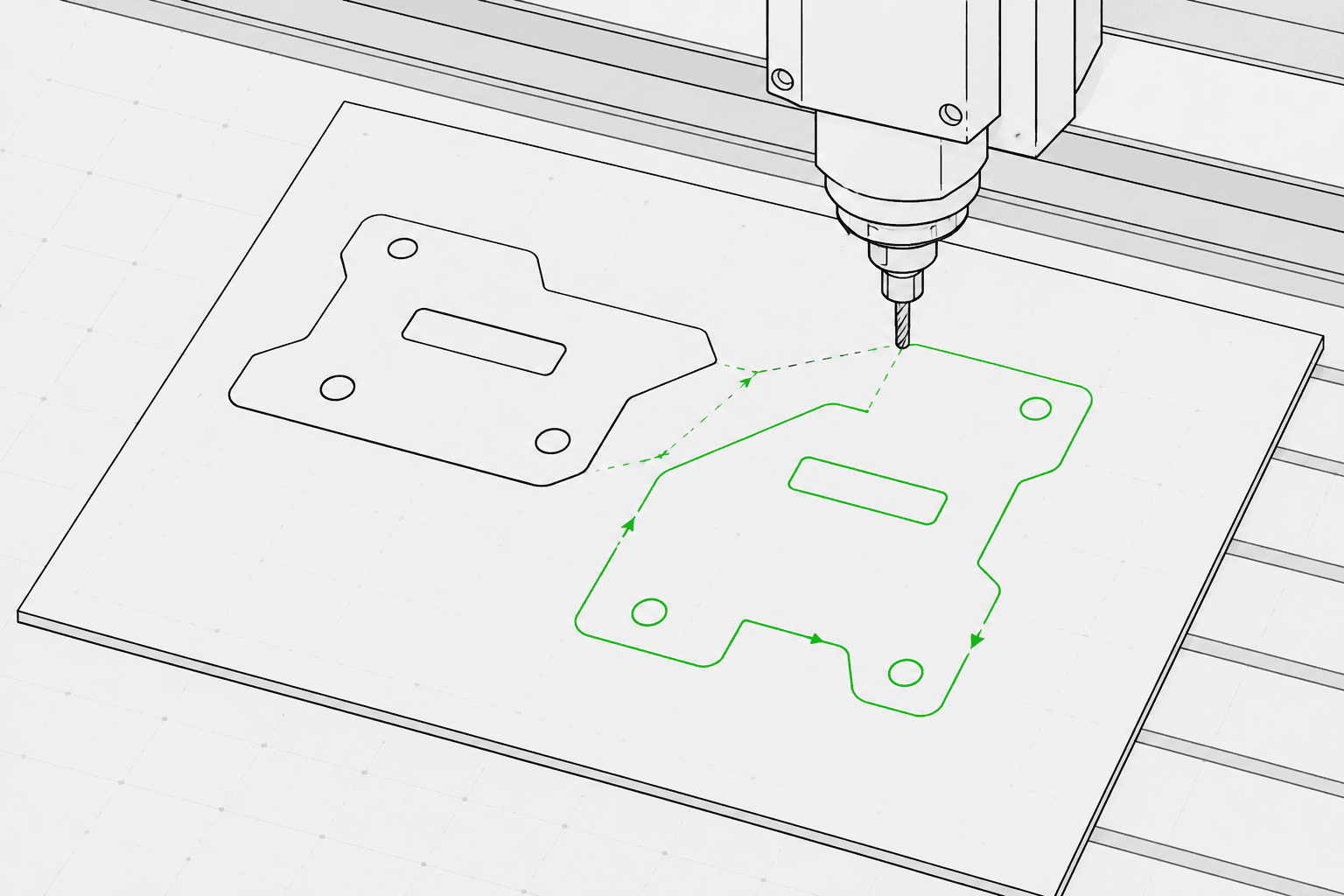
Pixel2Lines muuntaa polkupohjaiset SVG-tiedostot G-Codeksi kolmelle koneprofiilille: GRBL-laser, yleinen laser ja kynäplotteri. Tulos käyttää G0-pikaliikkeitä ja G1-syöttöliikkeitä — M3- ja M5-komennot ohjaavat lasertehoa S-parametrin kautta (0–1000) tai kynän asentoa konfiguroitavien mallien avulla. Käyttäjä määrittää toimintatarkoituksen (viivakaiverrus, pisteytys, leikkaus tai piirtäminen), työalueen mitat millimetreinä, syöttönopeuden, siirtymisnopeuden, laserteho-prosentin ja ajokertojen määrän. Bezier-käyrät ja kaaret muunnetaan polylinjaosioksi konfiguroitavalla toleranssilla — G2/G3-kaarikäskyjä ei tuoteta, mikä takaa yhteensopivuuden perus- ja vanhempien ohjainten kanssa.
Ennen G-Coden tuottamista prosessi validoi SVG:n: geometria, joka ylittää määritetyn työalueen, leikkausoperaatioihin kohdistetut avoimet polut sekä SVG:t, joissa ei ole muunnettavaa vektorigeometriaa, estetään yksityiskohtaisella virheilmoituksella. Elävä teksti, upotetut kuvat, liukuvärit, maskit ja leikkauspolut tuottavat varoituksia — ne on tasoitettava SVG-editorissa ennen lataamista. Käyttäjä saa G-Code-tiedoston, JSON-raportin, joka sisältää rajat, toimintamäärittelyt, geometriatilastot ja tarkistussummat, sekä SVG-työstöradan esikatselun, jossa siirtymisliikkeet näkyvät katkoviivoina ja työpolut on värikoodattu toimintatyypin mukaan. CNC-reitittimen toimintoja — taskutus, Z-syvyys, kielekkeet, sisäänajot ja työkalun kompensointi — ei sisälly.
Muunna polkupohjaiset SVG-tiedostot G-Codeksi GRBL-laserille, yleiselle laserille ja kynäplotterille preflight-validoinnilla, JSON-raportilla ja SVG-työstöradan esikatselulla jokaisesta muunnoksesta.
Parhaiten soveltuu polkupohjaisiin SVG-piirustuksiin, logoihin, tarroihin, ääriviivoihin ja piirustusvalmiin geometriaan. Tasoita elävä teksti, liukuvärit, maskit, upotetut kuvat ja monimutkaiset tehosteet ennen lataamista.
Valitse koneprofiili (GRBL-laser, yleinen laser tai kynäplotteri), toimintatarkoitus (viivakaiverrus, pisteytys, leikkaus tai piirtäminen), työalueen leveys ja korkeus millimetreinä, syöttönopeus (mm/min), siirtymisnopeus (mm/min), laserteho (0–100 %) ja ajokertojen määrä (1–20). SVG-väri-toimintamäärittely on valinnainen: siniset polut vastaavat pisteytystä, vihreät kaiverrusta ja punaiset leikkausta, kun se on otettu käyttöön.
Prosessi estää tehtävät, joissa geometria ylittää määritetyn työalueen, leikkausoperaatioihin kohdistetut avoimet polut sekä SVG:t, joissa ei ole muunnettavaa vektorigeometriaa. Elävä teksti, upotetut kuvat, liukuvärit, maskit, suodattimet ja leikkauspolut tuottavat varoituksia — nämä elementit on tasoitettava ennen lataamista.
Lataa G-Code-tiedosto, JSON-raportti, joka sisältää rajat, toimintamäärittelyt, geometriatilastot ja tarkistussummat, sekä SVG-työstöradan esikatselu. Esikatselu näyttää työalueen rajan, siirtymisliikkeet katkoviivoina ja työpolut värikoodattuina toimintatyypin mukaan. Koneen turvallisuus — oikea lähtöpiste, tarkennus, materiaali, nopeus ja teho — on käyttäjän vastuulla.
Keskittyy laserkaiverrukseen, pisteytykseen, kevytleikkaukseen ja kynäplotterityönkulkuihin. Täydelliset CNC CAM -toiminnot, kuten taskutus, kielekkeet, Z-syvyys, työkalun kompensointi ja reitittimen työstöradat, eivät sisälly.
G-Code GRBL-laserille, yleiselle laserille tai kynäplotterille. Käyttää G0/G1-lineaariliikkeitä ja M3/M5-tehokomentoja. Ei kaarikäskyjä (G2/G3) laajan ohjainyhteensopivuuden varmistamiseksi.
JSON-raportti, joka sisältää preflight-tilan, estäjät, varoitukset, geometrian rajat millimetreinä, toimintamäärittelytiivistelmän, polkumäärän, segmenttimäärän, arvioidun siirtymismatkan ja tarkistussummat.
Staattinen SVG, joka näyttää määritetyn työalueen, siirtymisliikkeet (katkoviivat) ja työpolut värikoodattuina toiminnan mukaan: leikkaus punaisella, pisteytys sinisellä, kaiverrus ja piirtäminen mustalla.
Käytä puhdasta polkupohjaista vektorikuvaa ja vältä ei-tuettuja SVG-ominaisuuksia, kuten rasterikuvia, maskeja, liukuvärejä ja ratkaisematonta tekstiä.
Valitse koneprofiili (GRBL-laser, yleinen laser tai kynäplotteri), toimintatarkoitus (viivakaiverrus, pisteytys, leikkaus tai piirtäminen), työalueen mitat millimetreinä, syöttönopeus, siirtymisnopeus, laserteho-prosentti ja ajokertojen määrä työtilan sivupalkista.
Tarkista työstöradan esikatselu ja raportti, ja lataa sitten G-Code-tiedosto, JSON-raportti ja SVG-työstöradan esikatselu.
Muunna ääriviivataide, logot, koristeet ja SVG-piirustukset laserkaiverrettaviksi G-koodiksi.
Muunna SVG-piirustukset G-Codeksi kynäplotterikoneille, joissa kynän nosto ja lasku ohjataan servon (M3/M5) tai Z-akselin noston mallien avulla.
Suorita preflight-tarkistus ja esikatsele SVG-työstöradat ennen tuontia LightBurniin, RDWorksiin tai mihin tahansa laseriohjelmistoon, joka hyväksyy SVG-syötteen.
Luo toistettavia linjapolkuja nimille, tarroille, pienille lahjoille ja brändätyille tuotantoresursseille.
Valmistele hallittua SVG-linjataidetta tarroille, kilville, suuntakylteille ja esineille.
Suorita preflight-tarkistus ei-tuettujen SVG-ominaisuuksien, työalueen ulkopuolisen geometrian ja avointen polkujen havaitsemiseksi ennen täyttä G-Code-muunnosta.
Puhtaat polkupohjaiset SVG-tiedostot toimivat parhaiten. Muunna elävä teksti ääriviivoiksi ja tasoita upotetut kuvat, maskit, liukuvärit, leikkauspolut ja visuaaliset tehosteet ennen lataamista. SVG-tiedostot, joissa on eksplisiittiset fyysiset mitat (mm, cm tai tuumat), muunnetaan ilmoitetussa koossa; pikselipohjaiset SVG:t käyttävät oletuksena 96 DPI:tä.
Mikään ohjelmisto ei voi taata koneen fyysistä turvallisuutta ilman tarkkaa konetta, materiaalia, lähtöpistettä, tarkennusta ja asennusta. Pixel2Lines tarjoaa koneprofiilisen G-Coden, preflight-tarkistukset, varoitukset ja esikatselun, mutta käyttäjän on varmistettava koneen asennus ennen käynnistystä.
Ei. Tämä palvelu keskittyy laserviivakaiverrukseen, pisteytykseen, kevytleikkaukseen ja kynäplotterityönkulkuihin. CNC-reitittimen toimintoja — taskutus, kielekkeet, Z-syvyys, sisäänajot ja työkalun kompensointi — ei sisälly.
Saat G-Code-tiedoston, joka on konfiguroitu valitulle koneprofiilille, JSON-raportin, joka sisältää preflight-tilan, estäjät, varoitukset, geometrian rajat millimetreinä, toimintamäärittelyt, polkumäärät ja tarkistussummat, sekä staattisen SVG-työstöradan esikatselun, joka näyttää siirtymisliikkeet ja työpolut visuaalista tarkastusta varten ennen koneen käynnistystä.
Valitse GRBL-laser koneille, joissa on GRBL-laiteohjelmisto — tämä kattaa useimmat pöytälaserkaiverruskoneet. Valitse yleinen laser ohjaimille, jotka hyväksyvät vakio-G-Coden M3/M5-laserkomennoilla, mutta eivät välttämättä tue kaikkia GRBL-laajennuksia. Valitse kynäplotteri piirustuskoneille, jotka käyttävät servoa tai Z-akselin mekanismia kynän nostamiseen ja laskemiseen — valitse sitten laitteistollesi sopiva kynänohjausmalli (servo M3/M5 tai Z-akselin nosto).
