Pixel2Lines

서비스
사진을 SVG 드로잉으로
사진을 SVG 드로잉으로
사진을 SVG 레이저 조각으로 변환
사진을 SVG 레이저 조각으로 변환
사진을 SVG 벡터화
사진을 SVG 벡터화
건축 일러스트레이션
건축 일러스트레이션
평면도 변환
평면도 변환
자수 디지타이징
자수 디지타이징
배경을 제거할 사진
배경을 제거할 사진
이미지 업스케일러
이미지 업스케일러
디자인 그리드
디자인 그리드
갤러리가격SVG 편집기작업 공간
  1. 홈/
  2. 서비스/
  3. 사진의 건축 일러스트레이션

사진의 건축 일러스트레이션

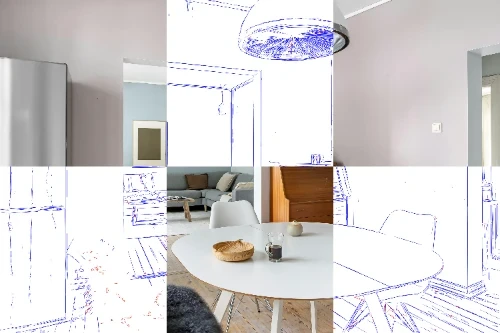
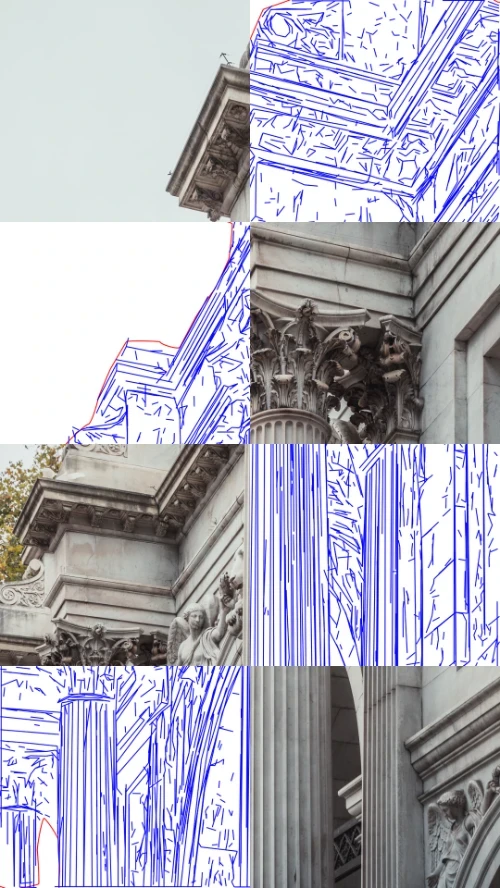
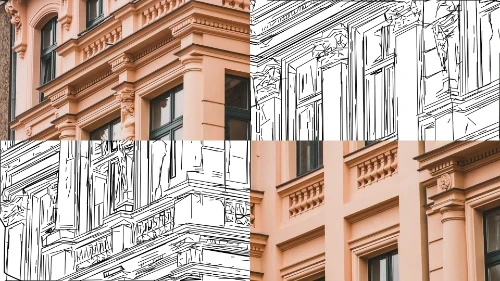
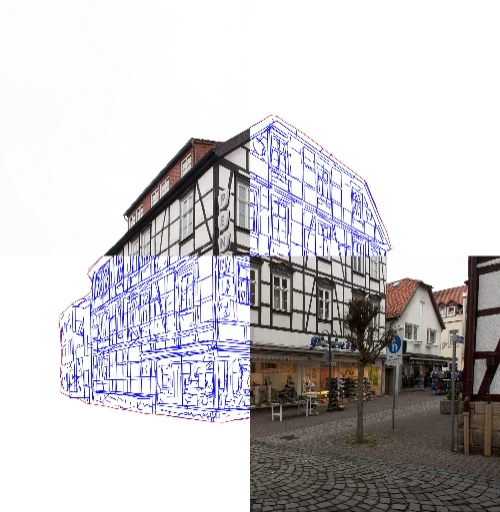
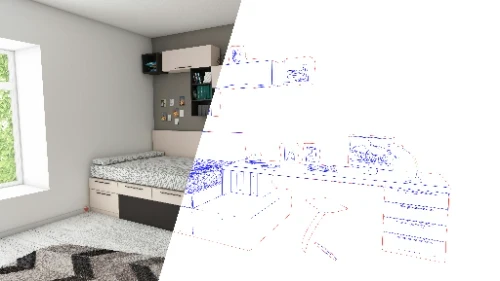
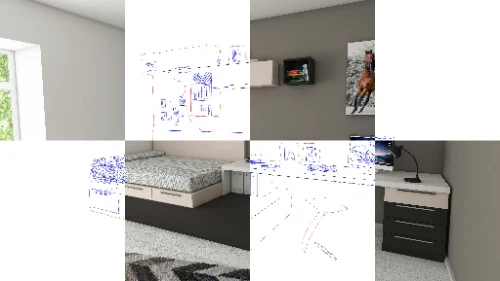
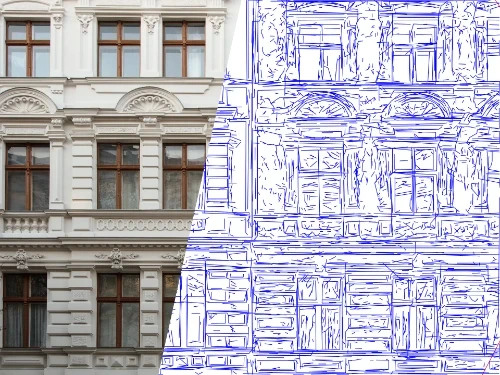
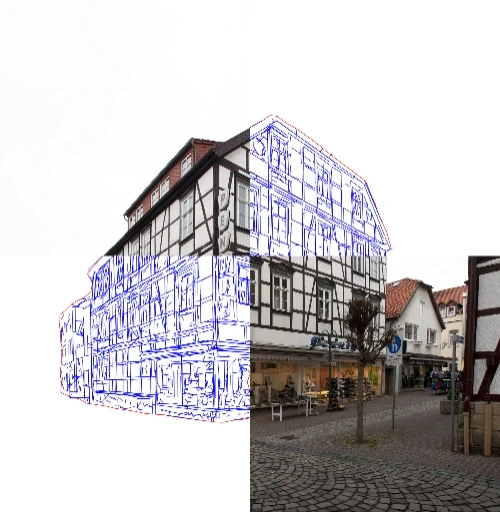
사진의 건축 그림입니다. 깔끔한 외관, 정확한 모서리, 청사진 친화적.

집, 정면, 상점 정면 및 직선 모서리와 읽기 쉬운 구조가 회화적 질감보다 더 중요한 기타 주제를 위해 제작되었습니다. 이 프리셋은 시각적 혼란을 줄이고, 창문, 지붕 선 및 원근감을 명확하게 하며, 사진을 기술적인 느낌을 지닌 깔끔한 건축 일러스트레이션으로 바꿔줍니다. 부동산 마케팅, 프레젠테이션 보드, 간판 및 포트폴리오 시각 자료에 매우 적합합니다.

건물 사진, 파사드, 인테리어, 부동산 비주얼, 제안 보드, 사인, 포트폴리오, 발표 그래픽에 어울리는 깔끔한 건축 표현 워크플로입니다.

  • Input - References

    Building photos, facade shots, interiors, storefronts, real-estate images, and architectural references with readable perspective and structure.

  • Output - Presentation

    High-resolution PNG architecture illustrations with clean edges, simplified surfaces, and a polished presentation-board finish.

  • Best for - Built environment

    Architects, interior designers, real-estate teams, developers, signage studios, portfolio designers, and visual communication teams.

  • Different from - No generic preset

    This is not a generic illustration filter, anime preset, or decorative photo effect. The workflow is tuned for buildings, rooms, facades, and architectural presentation graphics.

지원되는 형식

  • PNG

    PNG — High-Resolution PNG

    High-resolution PNG deliverables for real-estate visuals, proposal boards, signage mockups, portfolio pages, and presentation decks.

예

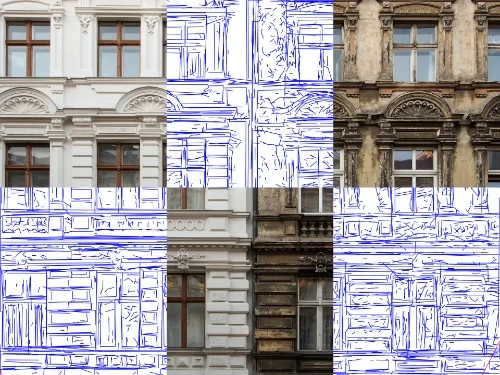
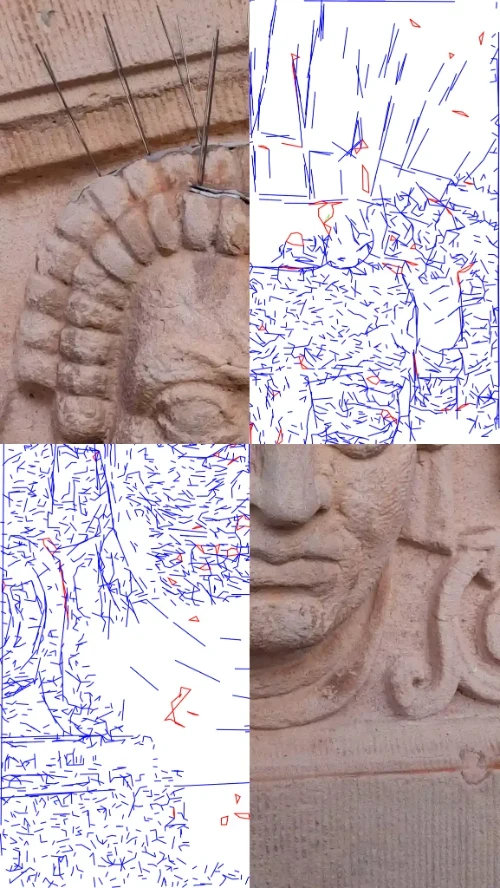
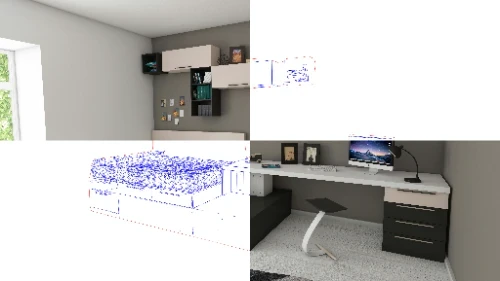
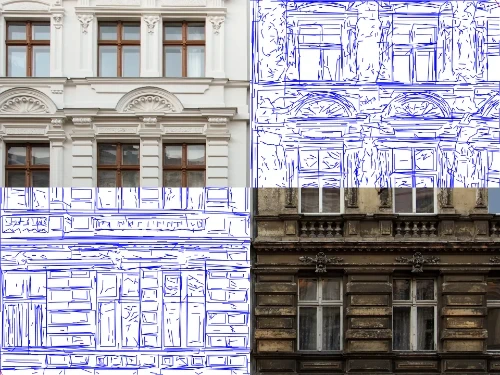
Architecture illustration example from a building photo.

How architecture illustration works

  1. 1

    Upload the architecture photo

    Add a building, facade, storefront, room, or real-estate photo. Include notes for crop, mood, background, labels, or presentation use.

  2. Arrow right
  3. 2

    We clarify the structure

    The workflow reduces visual clutter, strengthens edges, and keeps the architectural form readable for proposal and portfolio layouts.

  4. Arrow right
  5. 3

    Download the presentation graphic

    Receive a polished PNG architecture illustration ready for decks, listings, boards, signage mockups, and web pages.

Architecture illustration use cases

  • Real-Estate Visuals

    Turn property photos into clean illustrated assets for listings, brochures, launch pages, and sales decks.

    작업 공간 열기
  • Proposal Boards

    Convert facade and site photos into consistent presentation graphics for design proposals and client reviews.

    작업 공간 열기
  • Portfolio Boards

    Prepare architectural images for portfolio spreads, case studies, studio profiles, and competition boards.

    작업 공간 열기
  • Signage & Wayfinding

    Create simplified building and storefront visuals for signage mockups, directional graphics, and brand presentations.

    작업 공간 열기
  • Facade Studies

    Clarify roof lines, windows, edges, and facade structure when a photo needs a more technical graphic treatment.

    작업 공간 열기
  • Interior Concepts

    Use interior photos as structured visuals for mood boards, sales presentations, and renovation communication.

    작업 공간 열기

Architecture illustration questions

Answers for turning building, facade, and interior photos into clean architectural presentation graphics.

시작하려면 무엇이 필요한가요?

선명하고 조명이 좋은 사진(긴 쪽 최소 2000px)과 분위기, 배경, 브랜드 색상에 대한 메모를 보내 주세요. 참고 이미지가 여러 장일수록 원하는 방향을 더 정확하게 맞출 수 있습니다.

이것은 어떻게 생성되나요?

ScriptFX 코드 기반 파이프라인(전통적 컴퓨터 비전과 매개변수 기반 렌더링)과 수동 보정을 함께 사용합니다. 결과는 일관성이 높고 브랜드 톤을 해치지 않습니다.

나는 무엇을 받게 되나요?

고해상도 PNG(sRGB). SVG/벡터는 벡터 지원 스타일에 대해 요청 시 제공됩니다. 정확한 치수나 투명한 배경이 필요한지 물어보세요.

얼마나 걸리나요?

대부분의 주문은 영업일 기준 2~3일 이내에 완료됩니다. 더 복잡한 장면은 시간이 조금 더 걸릴 수 있습니다. 마감일이 있는 경우 메모에 이를 언급하세요.

개정판이 포함되어 있나요?

하나의 사소한 수정 사항(예: 색상 균형, 작은 조정, 자르기)이 포함됩니다. 주요 변경 사항이나 새로운 입력은 새로운 주문으로 처리됩니다.

작품을 상업적으로 사용할 수 있나요?

그렇습니다. 웹, 소셜, 프레젠테이션 및 인쇄에 대한 표준 상용 라이센스가 포함되어 있습니다. 독점성이나 독점 스타일을 원하시면 맞춤형 개발에 대해 문의하세요.

외부 사진과 내부 사진 중 어떤 사진이 가장 잘 나오나요?

두 가지 모두 선명한 고해상도 사진에 잘 어울립니다. 장애물을 최소화한 일광 촬영은 가장 정확한 라인워크를 제공합니다.

라벨이나 치수 표기를 추가할 수 있나요?

간단한 라벨과 설명선이 가능합니다. 정확한 CAD 치수는 포함되지 않습니다. 엔지니어링 등급 주석이 필요한 경우 맞춤 견적을 위해 이를 언급해 주세요.

스케일링을 위한 벡터?

예. 레이아웃에서 무한한 크기 조정이나 정확한 배치가 필요한 경우 SVG를 요청하세요.

Start your architecture illustration from a building photo

워크플로 서비스


  • 사진을 SVG 드로잉으로벡터
  • 사진을 SVG 레이저 조각으로 변환벡터
  • 배경을 제거할 사진래스터
  • 사진을 SVG 벡터화벡터
  • 사진을 자수 디지타이징으로벡터
  • 건축 일러스트레이션래스터
  • 사진을 디자인 그리드로래스터
  • 갤러리
  • 가격
  • 회사 소개
  • 기술
  • 맞춤형 개발
  • 지원팀에 문의

변환 도구


  • 파일 변환기
  • JPG를 PNG로
  • JPG를 WebP로
  • JPG를 AVIF로
  • JPG를 ICO로
  • PNG를 JPG로
  • PNG를 AVIF로
  • PNG를 WebP로
  • PNG를 ICO로
  • WebP를 JPG로
  • WebP를 PNG로
  • WebP를 AVIF로
  • AVIF를 JPG로
  • AVIF를 PNG로
  • AVIF를 WebP로
  • SVG를 PNG로
  • SVG를 JPG로
  • SVG를 WebP로
  • SVG를 AVIF로
  • SVG를 PDF로프리미엄
  • SVG를 EPS로프리미엄
  • SVG를 AI로프리미엄
  • SVG를 DXF로프리미엄
  • SVG를 G-code로프리미엄
  • PDF를 PNG로
  • BMP를 PNG로
  • DXF를 SVG로프리미엄

가이드


  • 유용한 가이드

Pixel2Lines

  • 법적
  • 개인정보 처리방침
  • 약관
  • 쿠키