정리된 SVG 입력
경로 기반 아트워크, 로고, 라벨, 다이어그램 및 SVG 도면에 가장 적합합니다. 라이브 텍스트, 래스터 이미지, 마스크, 필터, 그라디언트 및 복잡한 효과는 업로드 전에 평면화되어야 합니다.
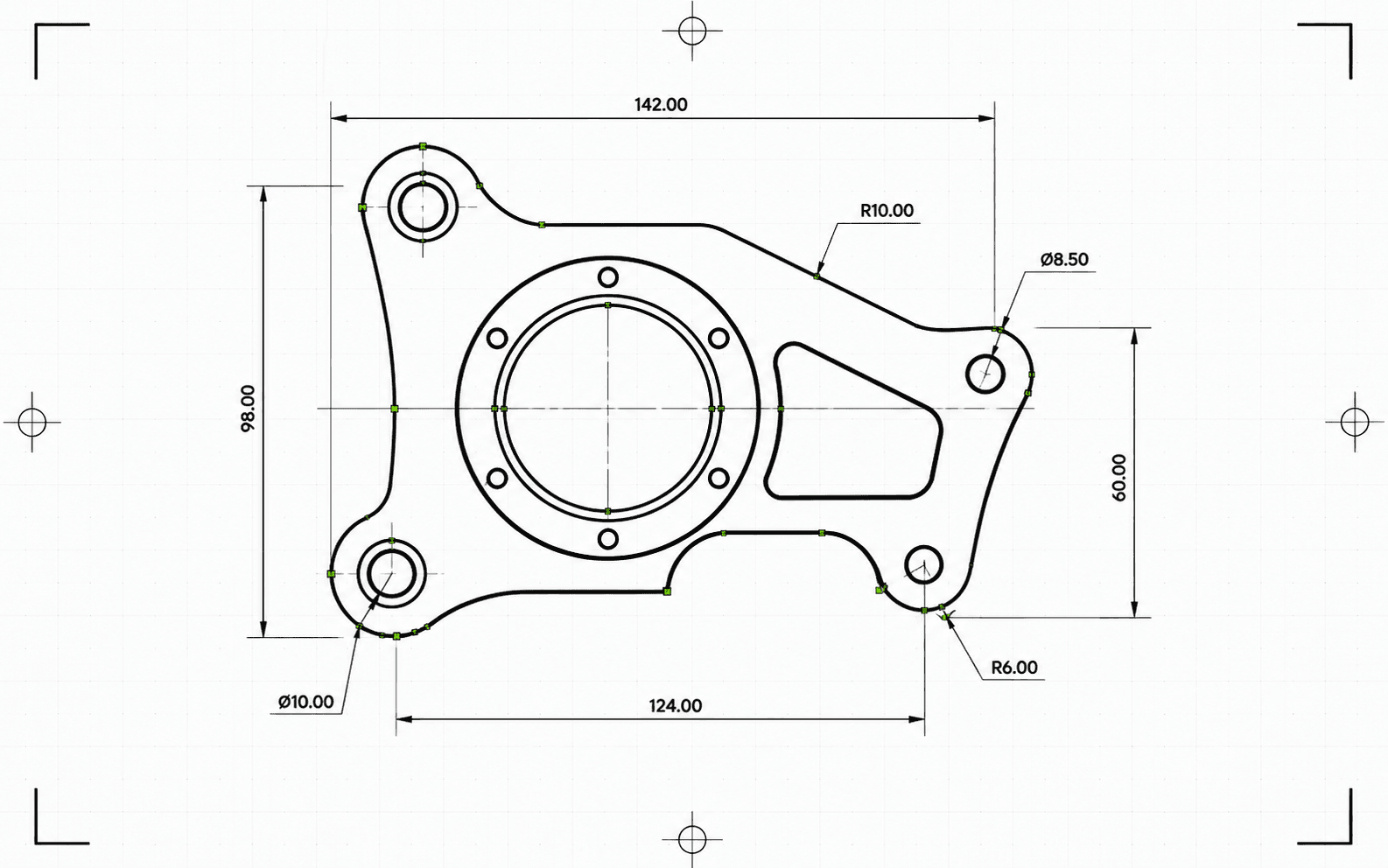
Pixel2Lines는 경로 기반 SVG 파일을 밀리미터 단위의 DXF R2010으로 변환합니다. 베지어 곡선은 원형 허용 오차에 대해 검사되며, 적합 조건을 통과하면 폴리라인 세그먼트로 평면화되는 대신 실제 ARC 엔티티로 작성됩니다. SVG 색상은 DXF 레이어에 매핑됩니다. 빨간색 경로는 Cut, 파란색은 Score, 녹색은 Engrave로 매핑됩니다. 검정색 및 무채색 경로는 기본적으로 Cut에 할당됩니다. 의미 기반 그룹 ID(CUT_HOLES, CUT_OUTER, DETAIL)는 정확한 DXF 레이어 이름으로 보존됩니다. 형상은 작성 전에 정리됩니다. 짧은 세그먼트, 중복 엔티티 및 근접 간격의 열린 경로는 자동으로 해결됩니다.
변환 전에 파이프라인은 SVG를 검증합니다. 라이브 텍스트는 특정 오류와 함께 작업을 차단하며, 명시적인 물리적 치수가 없는 SVG는 무언의 스케일링이 적용되지 않고 차단됩니다. 그라디언트, 마스크, 필터 및 클립 경로는 경고와 함께 건너뜁니다. 이러한 요소는 먼저 SVG 편집기에서 평면화되어야 합니다. 사용자는 DXF 파일과 함께 상태, 차단 요소, 경고, 확인된 치수, 레이어별 엔티티 수, 수행된 정리 작업, 아티팩트 크기 및 체크섬을 포함하는 JSON 보고서를 받습니다.
검증된 스케일, ARC 정확도의 형상 및 변환마다 제공되는 JSON 보고서를 포함하여, 경로 기반 SVG 파일을 밀리미터 단위의 DXF R2010으로 변환합니다.
경로 기반 아트워크, 로고, 라벨, 다이어그램 및 SVG 도면에 가장 적합합니다. 라이브 텍스트, 래스터 이미지, 마스크, 필터, 그라디언트 및 복잡한 효과는 업로드 전에 평면화되어야 합니다.
물리적 치수는 필수 요건으로 간주됩니다. mm, cm 또는 인치 단위의 명시적 너비와 높이가 있는 SVG는 선언된 크기 그대로 변환됩니다. 물리적 단위가 없는 ViewBox 전용 SVG는 차단됩니다. DXF는 검증되지 않은 스케일로 생성되지 않습니다. 출력 DXF는 헤더에 밀리미터를 선언합니다($INSUNITS=4).
베지어 곡선은 0.01 mm 허용 오차로 5점 샘플을 사용하여 원에 적합화됩니다. 적합 조건을 통과한 곡선은 ARC 엔티티로 작성되며, 통과하지 못한 곡선은 동일한 허용 오차로 선분으로 근사됩니다. 작성 후 DXF는 단위 헤더, 유한 범위, 엔티티 수 및 좌표 유효성에 대해 검증됩니다. 출력은 AutoCAD, LightBurn, RDWorks, Fusion 360 및 표준 CAM 소프트웨어에서 읽을 수 있는 R2010 형식입니다.
검증된 DXF 파일과 함께 상태, 경고, 차단 요소, 치수, 레이어 할당, 엔티티 수, 정리 노트, 바이트 크기 및 체크섬을 포함하는 JSON 보고서를 다운로드합니다. DXF의 엔티티는 절단을 위해 정렬됩니다. 내부 형상이 외부 외곽선보다 먼저 배치되어, 주변 재료가 분리되기 전에 내부 컷아웃이 완료됩니다.
CAD, 레이저 소프트웨어 및 CAM 핸드오프를 위한 신뢰할 수 있는 2D SVG-DXF 형상 변환에 중점을 둡니다. 래스터 이미지, 라이브 텍스트, 마스크, 필터, 그라디언트 및 복잡한 시각 효과는 먼저 평면화되어야 합니다. CNC 툴패스 생성 및 라우터 CAM 작업은 포함되지 않습니다.
CAD 가져오기, 레이저 소프트웨어, CAM 핸드오프 및 벡터 아카이빙을 위한 밀리미터 단위의 DXF R2010 출력입니다.
상태, 차단 요소, 경고, 치수, 레이어, 엔티티 수, 정리 작업 및 체크섬을 포함하는 구조화된 사전 검사 및 배송 보고서입니다.
실제 벡터 형상이 포함된 경로 기반 SVG를 사용하십시오. 업로드 전에 라이브 텍스트를 외곽선으로 변환하고, 포함된 이미지, 마스크, 필터, 클립 경로, 그라디언트 및 기타 시각 효과를 평면화하십시오.
변환기는 지원되지 않는 SVG 기능, 투명하거나 보이지 않는 형상, 누락된 물리적 치수를 검사합니다. 신뢰할 수 없는 출력을 생성할 작업은 DXF가 작성되기 전에 특정 오류와 함께 차단됩니다.
검증된 DXF R2010 파일과 체크섬, 바이트 크기 및 엔티티 수를 포함하는 JSON 보고서를 다운로드합니다. 변환 중 문제가 감지된 경우 경고 및 차단 요소가 보고서에 포함됩니다.
DXF 입력이 필요한 CAD 응용 프로그램을 위해 SVG 로고, 레이아웃, 라벨, 도면 및 다이어그램을 준비합니다.
SVG가 지원하는 경우 정리된 벡터 경로를 Cut, Score, Engrave 또는 의미 기반 생산 레이어가 적용된 DXF로 변환합니다.
다운스트림 CAD/CAM 설정을 위한 DXF 교환 파일을 생성합니다. 툴패스, Z 깊이, 탭, 포켓팅 및 커터 보정은 CAM 소프트웨어에 그대로 유지됩니다.
보고서 기반 출처를 갖춘 CAD 친화적 벡터 형식으로 클라이언트 아트워크와 생산 도면을 보관합니다.
색상 및 지원되는 그룹 의미를 사용하여 Cut, Score, Engrave, CUT_HOLES, CUT_OUTER 및 DETAIL과 같은 DXF 레이어를 구성합니다.
전체 변환을 시작하기 전에 드라이런 변환을 실행하여 지원되지 않는 기능, 모호한 치수 및 형상 문제를 감지합니다.
정리된 경로 기반 SVG 파일이 가장 적합합니다. 업로드 전에 포함된 이미지, 라이브 텍스트, 마스크, 필터, 그라디언트, 클립 경로, 외부 CSS 및 지원되지 않는 효과를 평면화하십시오.
출력은 LINE, ARC, CIRCLE 및 LWPOLYLINE 엔티티를 사용합니다. 이는 AutoCAD, LightBurn, RDWorks, Fusion 360 및 대부분의 레이저 컨트롤러에서 지원하는 유형입니다. SPLINE 엔티티는 작성되지 않으므로 구형 머신 컨트롤러와의 호환성이 보장됩니다. 0.01 mm 이내로 원형 모양과 일치하는 베지어 곡선은 ARC 엔티티로 작성되며, 그 외에는 동일한 허용 오차의 선분으로 작성됩니다. 완전한 원은 감지되어 CIRCLE 엔티티로 작성됩니다.
mm, cm 또는 인치 단위의 명시적 너비와 높이가 있는 SVG는 선언된 치수 그대로 변환됩니다. 픽셀 기반 SVG는 기본적으로 96 DPI를 사용합니다. 명시적인 물리적 단위가 없는 ViewBox 전용 SVG는 차단됩니다. DXF는 검증되지 않은 스케일로 제공되지 않습니다.
DXF 파일과 함께 상태, 차단 요소, 경고, 치수, 엔티티 및 레이어 수, 검증 세부 정보, 아티팩트 크기 및 체크섬을 포함하는 구조화된 JSON 변환 보고서를 받습니다. CNC 라우터 툴패스, Z 깊이, 탭, 포켓, 리드인, 이송 속도, 가공 속도 및 커터 보정은 CAM 소프트웨어에 그대로 유지됩니다.
