SVG 입력 준비
경로 기반 SVG 도면, 로고, 라벨, 윤곽선, 도면용 도형에 가장 적합합니다. 업로드 전에 라이브 텍스트, 그라디언트, 마스크, 내장 이미지, 복잡한 효과를 병합 처리하십시오.
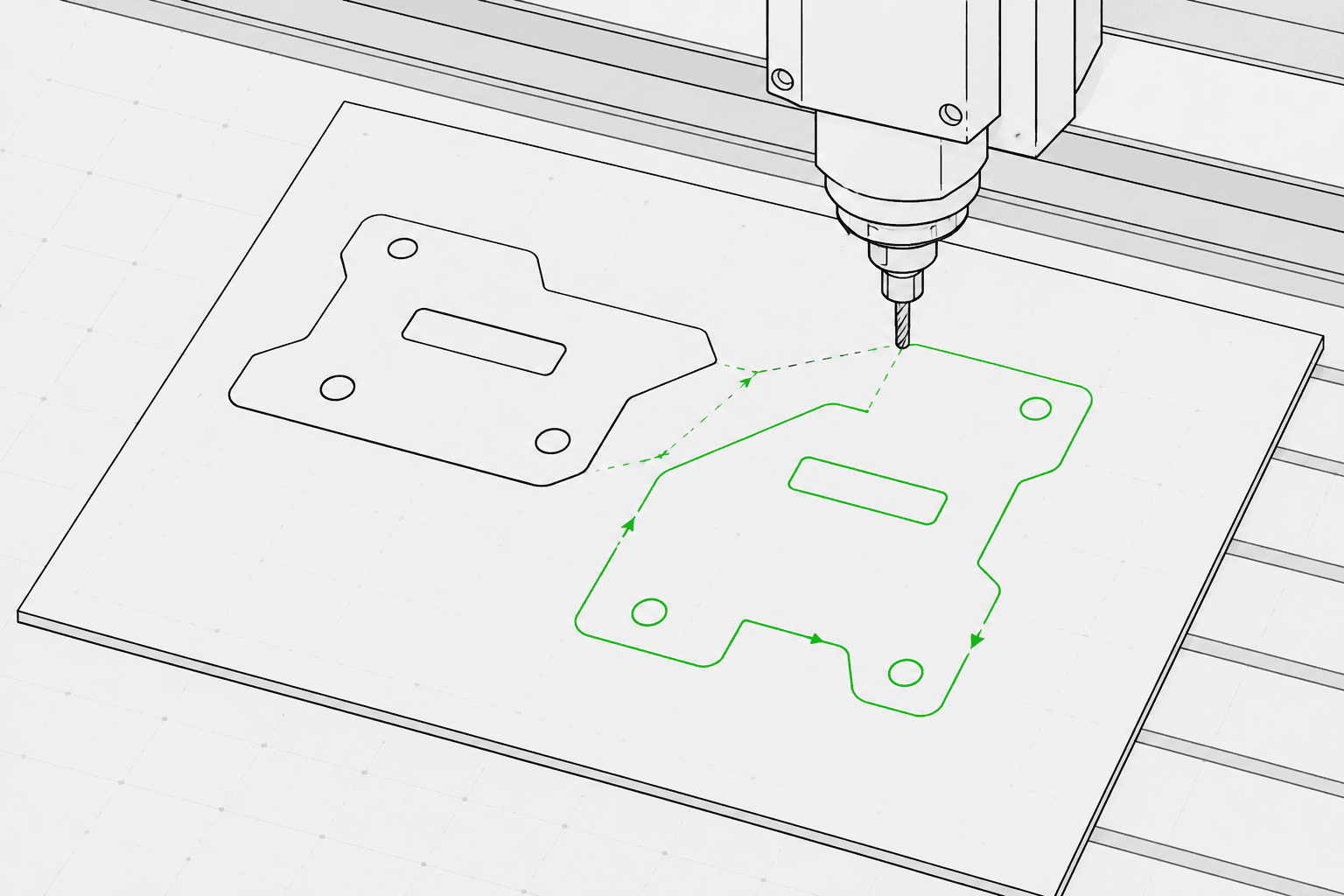
Pixel2Lines는 경로 기반 SVG 파일을 세 가지 머신 프로파일(GRBL 레이저, 범용 레이저, 펜 플로터)에 맞는 G-Code로 변환합니다. 출력에는 G0 급속 이동과 G1 이송 이동이 사용되며, M3 및 M5 명령이 S 파라미터(0–1000)를 통해 레이저 출력을 제어하거나 설정 가능한 템플릿을 통해 펜 위치를 제어합니다. 작업 의도(라인 조각, 스코어, 절단, 플롯), 작업 영역 크기(mm), 이송 속도, 이동 속도, 레이저 출력 비율, 패스 횟수를 설정하실 수 있습니다. 베지어 곡선과 호는 설정 가능한 허용 오차에 따라 폴리라인 세그먼트로 변환됩니다. G2/G3 호 명령은 출력되지 않으므로 기본적이거나 구형 컨트롤러와도 호환됩니다.
G-Code를 생성하기 전에 파이프라인이 SVG를 검증합니다. 설정된 작업 영역 밖의 도형, 절단 작업 대상인 열린 경로, 변환 가능한 벡터 도형이 없는 SVG는 구체적인 오류와 함께 차단됩니다. 라이브 텍스트, 내장 이미지, 그라디언트, 마스크, 클립 패스는 경고를 생성하며, 업로드 전에 SVG 편집기에서 병합 처리하셔야 합니다. G-Code 파일, 경계·작업 매핑·도형 통계·체크섬이 포함된 JSON 보고서, 이동 경로를 점선으로 표시하고 작업 유형별로 색상 구분된 툴패스를 보여주는 SVG 툴패스 미리보기를 제공합니다. 포켓팅, Z 깊이, 탭, 리드인, 공구 보정 등의 CNC 라우터 작업은 포함되지 않습니다.
프리플라이트 유효성 검사, JSON 보고서, SVG 툴패스 미리보기를 통해 GRBL 레이저, 범용 레이저, 펜 플로터 프로파일에 맞는 경로 기반 SVG 파일을 G-Code로 변환하십시오.
경로 기반 SVG 도면, 로고, 라벨, 윤곽선, 도면용 도형에 가장 적합합니다. 업로드 전에 라이브 텍스트, 그라디언트, 마스크, 내장 이미지, 복잡한 효과를 병합 처리하십시오.
머신 프로파일, 작업 유형, 작업 영역, 이송 속도, 출력, 패스 횟수와 같은 실질적인 레이저 또는 플로터 설정을 선택하십시오.
최종 생성 전에 지원되지 않는 SVG 기능, 작업 영역을 초과하는 도형, 경계 문제, 열린 절단 경로 등의 문제를 사전에 파악하십시오.
머신 설정 전 검토를 위해 JSON 변환 보고서와 SVG 툴패스 미리보기가 포함된 .gcode 파일을 다운로드하십시오.
레이저 조각, 스코어링, 경량 절단, 펜 플로터 라인 워크플로에 중점을 둡니다. 포켓팅, 탭, Z 깊이, 공구 보정, 라우터 툴패스와 같은 완전한 CNC CAM 작업은 포함되지 않습니다.
GRBL 레이저, 범용 레이저, 펜 플로터 프로파일용 G-Code 파일입니다. G0/G1 선형 이동과 M3/M5 출력 명령을 사용하며, 광범위한 컨트롤러 호환성을 위해 호 명령(G2/G3)은 포함되지 않습니다.
프리플라이트 상태, 차단 항목, 경고, mm 단위 도형 경계, 작업 매핑 요약, 경로 수, 세그먼트 수, 예상 이동 거리, 체크섬이 포함된 JSON 보고서입니다.
설정된 작업 영역, 이동 경로(점선), 작업 유형별 색상 구분 툴패스(절단은 빨간색, 스코어는 파란색, 조각 및 플롯은 검은색)를 보여주는 정적 SVG 파일입니다.
깔끔한 경로 기반 벡터 아트워크를 사용하시고, 래스터 이미지, 마스크, 그라디언트, 미처리 텍스트 등 지원되지 않는 SVG 기능은 피하십시오.
워크스페이스 사이드바에서 머신 프로파일(GRBL 레이저, 범용 레이저, 펜 플로터), 작업 의도(조각, 스코어, 절단, 플롯), 작업 영역 크기(mm), 이송 속도, 이동 속도, 레이저 출력 비율, 패스 횟수를 선택하십시오.
툴패스 미리보기와 보고서를 확인하신 후 G-Code 파일, JSON 보고서, SVG 툴패스 미리보기를 다운로드하십시오.
윤곽선 아트워크, 로고, 장식, SVG 도면을 레이저 조각용 G-Code로 변환하십시오.
서보(M3/M5) 또는 Z축 리프트 템플릿을 통한 펜 업/다운 제어 기능이 있는 펜 플로터 머신용 SVG 도면을 G-Code로 변환하십시오.
LightBurn, RDWorks 또는 SVG 입력을 지원하는 레이저 소프트웨어로 가져오기 전에 프리플라이트 검사를 실행하고 SVG 툴패스를 미리 확인하십시오.
이름, 라벨, 소형 기념품, 브랜드 생산 자산에 대한 반복 가능한 라인 경로를 생성하십시오.
라벨, 플레이트, 방향 표지판, 디스플레이 조각용 제어된 SVG 라인워크를 준비하십시오.
최종 G-Code 출력 비용 지불 전에 지원되지 않는 SVG 기능과 작업 영역 문제를 확인하십시오.
깔끔한 경로 기반 SVG 파일이 가장 적합합니다. 업로드 전에 라이브 텍스트를 아웃라인으로 변환하고 내장 이미지, 마스크, 그라디언트, 클립 패스, 시각 효과를 병합 처리하십시오. 명시적인 물리적 치수(mm, cm 또는 인치)가 있는 SVG는 선언된 크기로 변환되며, 픽셀 기반 SVG는 기본적으로 96 DPI가 적용됩니다.
정확한 머신, 재료, 원점, 초점, 설정 없이는 어떤 소프트웨어도 물리적 머신 안전을 보장할 수 없습니다. Pixel2Lines는 머신 프로파일에 맞는 G-Code, 프리플라이트 검사, 경고, 미리보기를 제공하지만, 머신을 가동하기 전에 사용자가 직접 설정을 확인하셔야 합니다.
아니요. 이 서비스는 레이저 라인 조각, 스코어링, 경량 절단, 펜 플로터 워크플로에 중점을 두고 있습니다. 포켓팅, 탭, Z 깊이, 리드인, 공구 보정 등의 CNC 라우터 작업은 포함되지 않습니다.
선택한 머신 프로파일에 맞게 설정된 G-Code 파일, 프리플라이트 상태·차단 항목·경고·mm 단위 도형 경계·작업 매핑·경로 수·체크섬이 포함된 JSON 보고서, 머신 가동 전 시각 확인을 위한 이동 경로 및 작업 경로가 표시된 정적 SVG 툴패스 미리보기를 받으실 수 있습니다.
GRBL 펌웨어를 사용하는 머신에는 GRBL 레이저를 선택하십시오. 이는 대부분의 데스크톱 레이저 조각기에 해당합니다. M3/M5 레이저 명령이 포함된 표준 G-Code를 지원하지만 모든 GRBL 확장 기능을 지원하지 않는 컨트롤러에는 범용 레이저를 선택하십시오. 서보 또는 Z축 메커니즘으로 펜을 올리고 내리는 드로잉 머신에는 펜 플로터를 선택한 후, 하드웨어에 맞는 펜 제어 템플릿(서보 M3/M5 또는 Z축 리프트)을 선택하십시오.
