DXF vs SVG for Laser Cutting
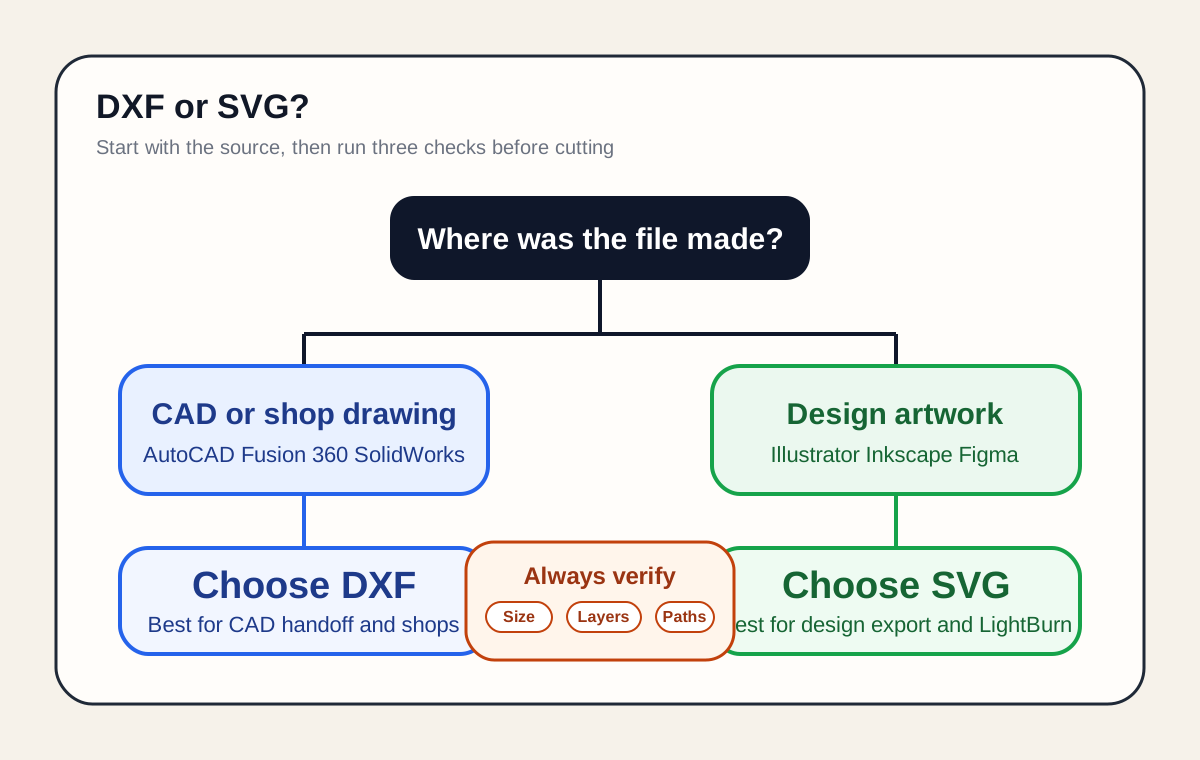
If the file starts in CAD or goes to a fabrication shop, DXF is usually safer. If it starts in a design tool and imports cleanly into LightBurn, SVG is often the simpler choice. The format matters less than scale, layers, text, and path cleanup.
Fast rule
Pick the format that matches the next real handoff, not the one that sounds more technical. If both import cleanly, avoid a last-minute conversion.
Short answer
DXF is usually the better choice for CAD-native parts, fabrication-shop handoff, and jobs that need a predictable manufacturing workflow.
SVG is usually the better choice for design-led artwork, LightBurn imports, and jobs that benefit from easy color-based layer mapping.
Neither format is automatically more accurate. Clean geometry, correct units, and a checked import decide whether the cut is right.
- Start in CAD -> DXF
- Start in Illustrator, Inkscape, or Figma -> SVG
- Shop asks for DXF -> send DXF
- Both formats import cleanly -> stay in the source format
Why the formats behave differently
DXF is Autodesk's exchange format for CAD drawings. It is built around CAD entities, layers, and optional unit metadata such as $INSUNITS.
SVG is an XML-based W3C vector format. Its size is governed by width, height, and viewBox, which is why SVG import problems are often sizing problems rather than geometry problems.
For laser cutting, that difference affects workflow compatibility and import behavior more than raw cutting precision.
Use DXF when
Use DXF when the design began in AutoCAD, Fusion 360, SolidWorks, FreeCAD, or another CAD package.
Use DXF when another operator, a fabrication shop, or a downstream CAD/CAM step expects it. In that situation, DXF is the safer handoff because it keeps you inside the same manufacturing-style workflow.
DXF's real advantage is not magic precision. It is that CAD users and shops expect it, understand it, and usually have cleaner import settings for it.
- Panels, brackets, fixtures, enclosures, and mechanical parts
- Files that will move from CAD into laser, CNC, or fabrication workflows
- Projects where named layers carry operation intent
- Any job where the receiver explicitly asks for DXF
Use SVG when
Use SVG when the artwork starts in Illustrator, Inkscape, Affinity Designer, Figma, or another design tool that exports SVG well.
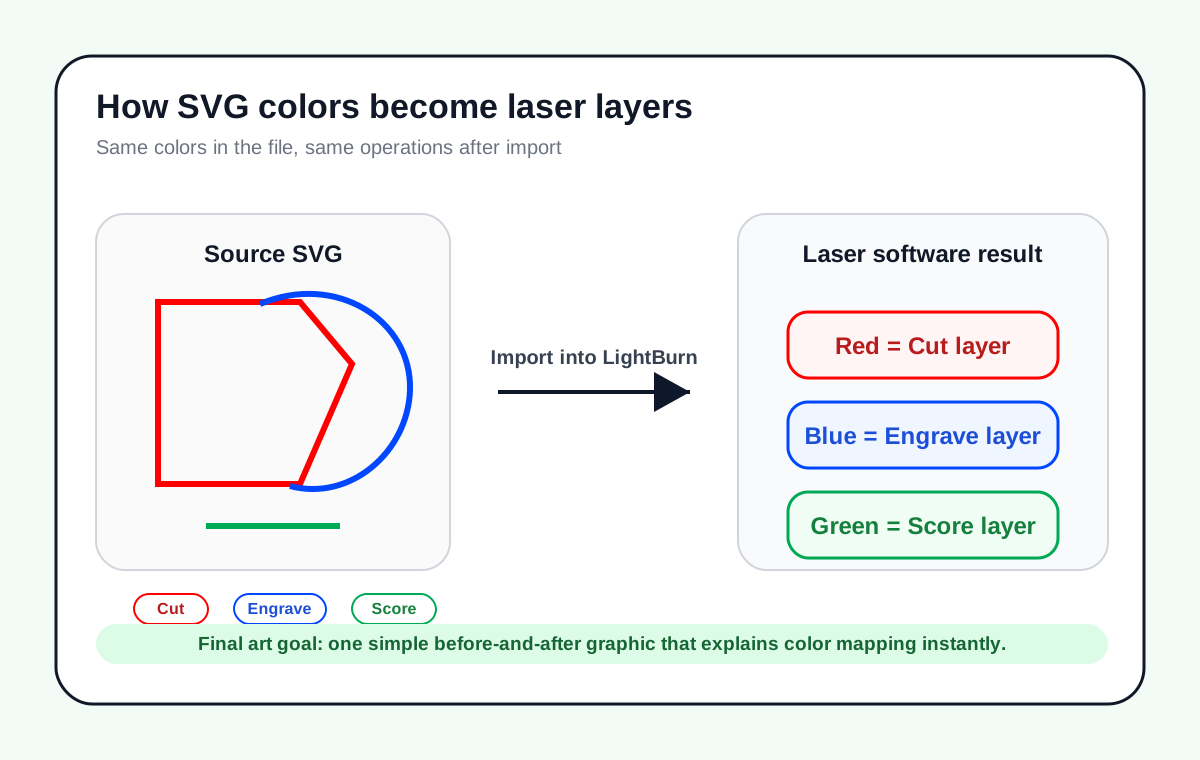
SVG is especially practical in LightBurn because imported object colors can drive layer assignment. That makes cut, score, and engrave workflows easy to read when you use the target palette consistently.
SVG is also easier to inspect manually because it is readable XML, which helps when you need to troubleshoot a file instead of redrawing it.
- Logos, signage, decorative work, and typography-led cuts
- LightBurn workflows that depend on color-based layer mapping
- Design-led jobs where SVG is the native export
- Cases where converting to DXF would add one more failure point
What actually causes bad cuts
Most failed jobs blamed on the file format are really import or cleanup problems.
- Scale mismatch: SVG can import at the wrong size if export and import software disagree about 96 DPI versus 72 DPI or interpret sizing metadata differently.
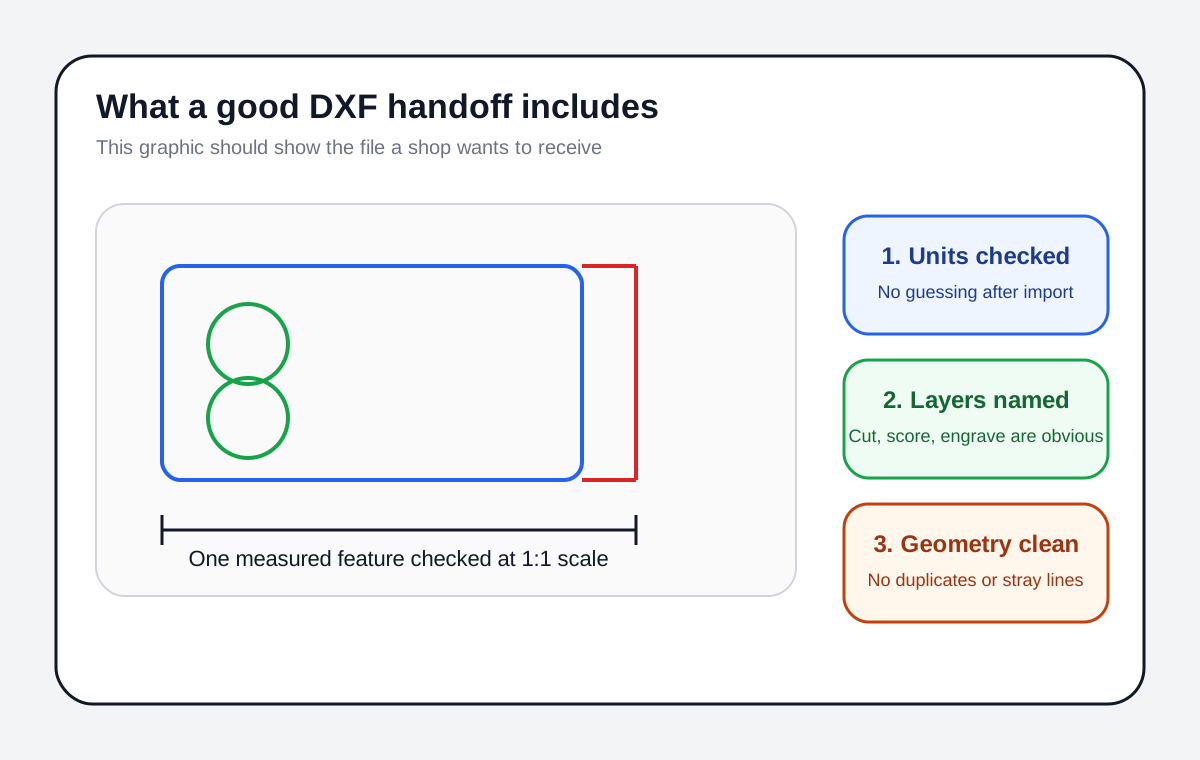
- Unit mismatch: DXF can carry unit metadata, but you still need to measure a known feature after import.
- Text issues: if the receiving system does not have the font, text can change or disappear. Converting text to paths is safer for handoff.
- Open paths where closed loops are required: open lines are fine for some cuts and scoring, but not for every fill, offset, or enclosed shape workflow.
- Duplicate or overlapping geometry: duplicate lines cause double cuts, messy fills, or wasted machine time.
- Curve changes after conversion: splines, arcs, and script lettering always deserve a visual check after export.
Before cutting
Measure one known feature after import. If size, layer mapping, and path cleanup are wrong on screen, the machine will only make the mistake permanent.
Production-ready handoff workflow
- 1
Keep a master file in the source app
Do not treat your export as the source of truth. Keep the editable CAD file or design file, then export the delivery format from there.
- 2
Convert risky objects before export
Convert text to paths, remove stray construction geometry, and make sure the actual cut path is the vector path you intend to send.
- 3
Import into the target laser software and inspect it
Check size, layer or color mapping, curve smoothness, and whether closed shapes are truly closed where the workflow needs them.
- 4
Save a machine-verified version
Once the file imports correctly, save a verified version for that machine and software combination so the cleanup does not need to be repeated next time.
Pre-cut file checklist
- A known dimension measures correctly after import
- Cut, score, and engrave geometry are on the intended layers or colors
- Text has been converted to paths if there is any font dependency
- Closed shapes are closed where fill, offset, or boolean operations require closure
- No duplicate lines, stray points, or hidden construction geometry remain
- The software preview matches the expected order and coverage
Is DXF more precise than SVG for laser cutting?
Not by itself. Both formats can represent vector geometry accurately enough for laser work. What changes the result is how your exporter and importer handle units, curves, text, and layers. A clean SVG can cut more accurately than a badly exported DXF, and the reverse is also true.
Why does my SVG import at the wrong size?
Usually because the export software and import software disagree about SVG sizing. SVG uses width, height, and viewBox, and some workflows assume 96 DPI while older Illustrator-based workflows used 72 DPI. In LightBurn, the SVG import DPI setting is one of the first things to check.
Should I convert text to paths before sending a file?
Yes, if the file is leaving your computer or you are not certain the receiving software has the same font installed. Converting text to paths removes a common handoff failure.
Do I need closed paths for laser cutting?
For line cuts and scoring, open paths can be intentional. For enclosed shapes, filled operations, offsets, and many cleanup tools, closed loops are usually required. If the software needs an inside and outside, close the path.
What should I send to an external laser cutting shop?
Send the format the shop asks for. If they give no preference, DXF is usually the safer manufacturing handoff for CAD-like parts, while a clean SVG is fine when the shop clearly supports it and the job is more design-led.
Need a clean laser-ready vector file?
Good machine settings cannot fix messy geometry. Start with a verified vector file that imports at the right size and stays easy to edit.
SVG Laser Engraving Service
Comments
Loading comments...