DST vs PES: Understanding Embroidery File Formats
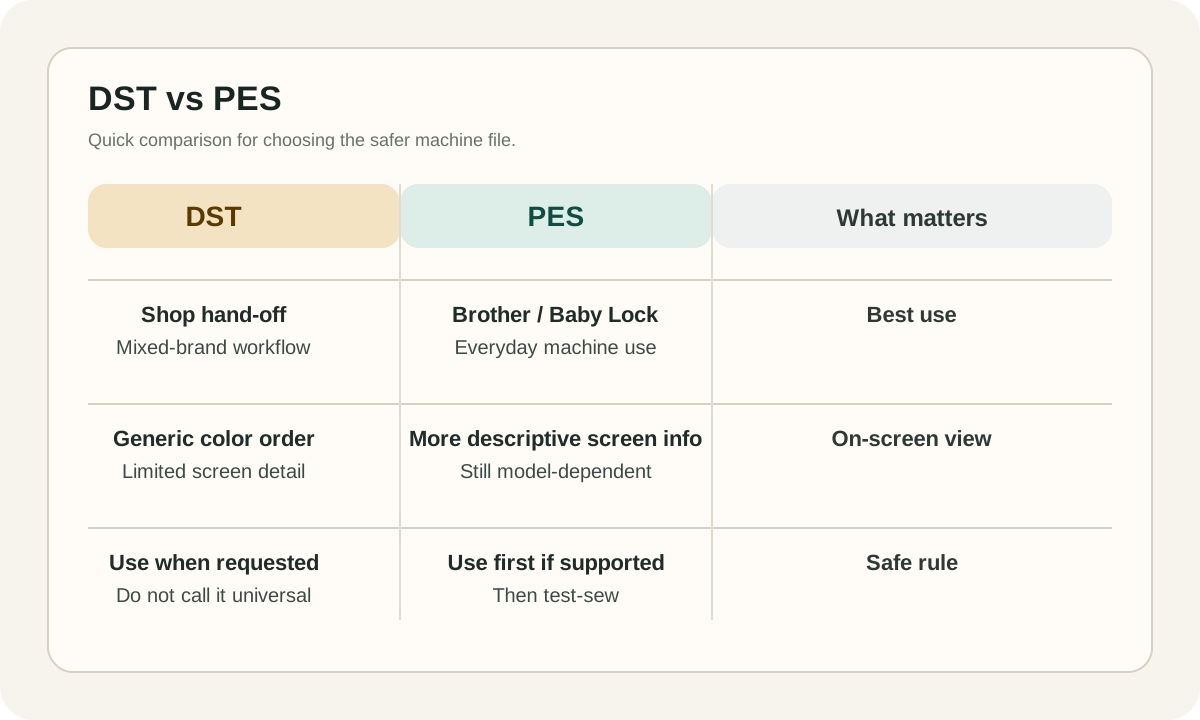
If a compatible Brother or Baby Lock machine accepts PES, start with PES. If a digitizer or mixed-brand workflow asks for DST, send DST. In both cases, confirm the exact machine model before stitching.
What This Guide Covers
A lot of embroidery content online makes DST sound universal and PES sound optional. That is not how real machine workflows work.
This guide stays focused on the practical decision: which file should you export for the actual machine in front of you, and what should you expect when the design is loaded.
Short version: use the native format your machine supports. For compatible Brother and Baby Lock machines, PES is usually the best first choice. Use DST when a shop, digitizer, or mixed-brand production workflow specifically asks for it.
Short Answer
PES is usually the better everyday file on compatible Brother and Baby Lock machines. DST is a common hand-off format, but it is not a universal guarantee. The exact model manual wins every time.
DST: Best for Hand-Offs and Mixed Workflows
DST is the Tajima machine-file format and one of the most common stitch formats used in commercial embroidery software and production workflows. That makes it a strong interchange format, especially when designs move between different shops, operators, or software environments.
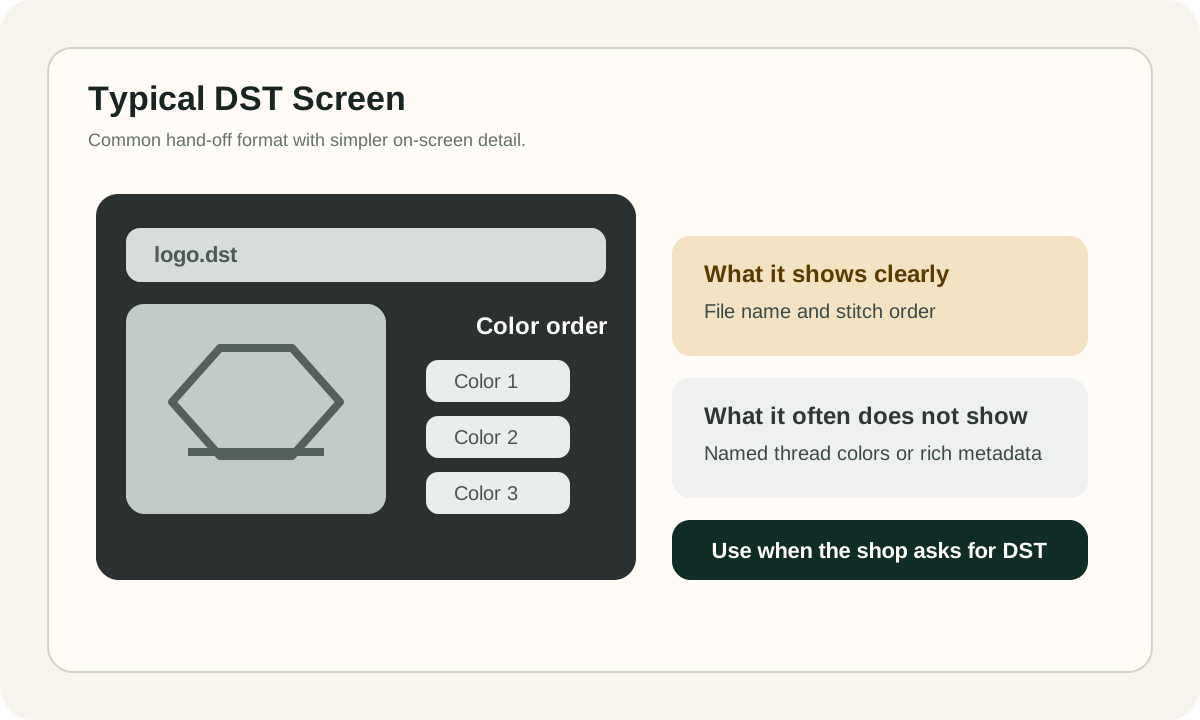
It is still a mistake to call DST universal. Brother's own documentation says Tajima (.dst) data does not contain specific thread color information and is displayed with the machine's default thread color sequence on compatible Brother models.
Use DST when the recipient specifically asks for it, when a commercial workflow is built around it, or when you need a neutral machine file for hand-off. Do not use the extension alone as proof that a machine will accept the design.
PES: Usually Better on Compatible Brother and Baby Lock Machines
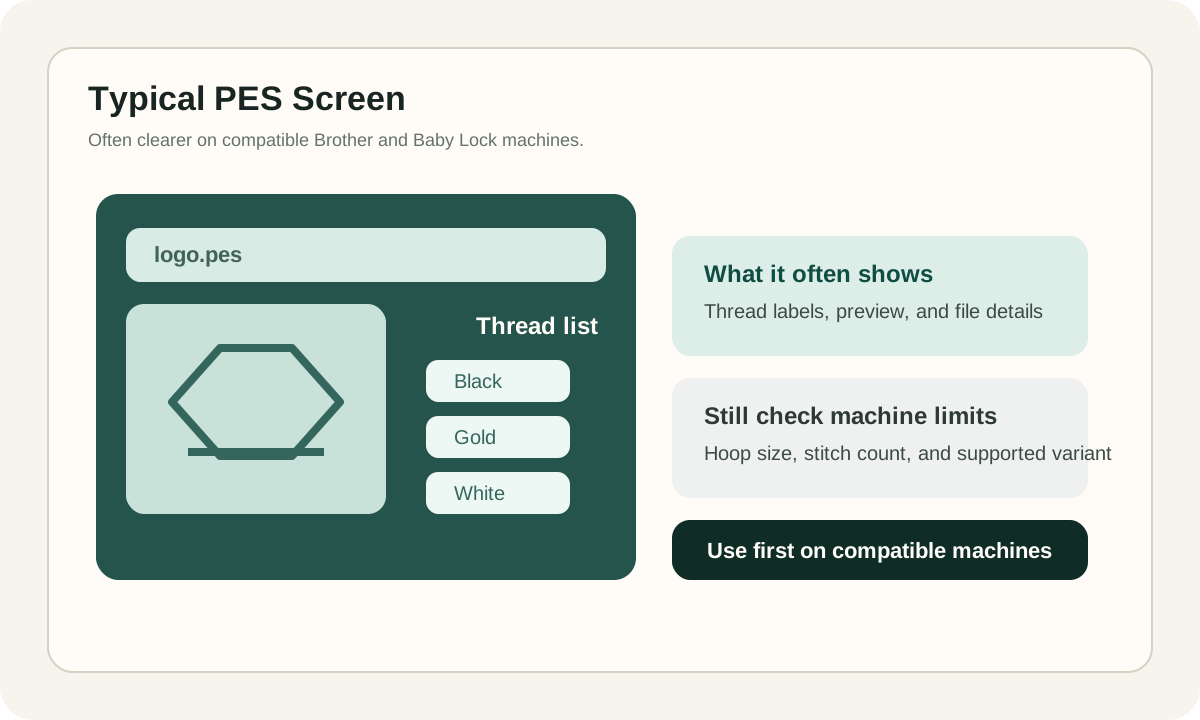
PES is the machine-file family associated with Brother, Baby Lock, and Deco systems. Wilcom's supported-format tables classify PES that way, and Brother support pages list PES as a standard embroidery import format on many compatible models.
If the design is going onto a compatible Brother or Baby Lock machine, PES is usually the cleanest first export. In practice, it is the format that ecosystem is built around, so it is typically the easier file to preview, organize, and stitch on those machines.
PES is not magic either. A PES file can still fail if it exceeds hoop size, stitch-count, or color-count limits, or if it was exported for a machine family that does not support that exact variant. Native format helps, but machine limits still decide the outcome.
Why DST Colors Often Look Wrong on Screen
Brother manuals explicitly note that Tajima (.dst) data does not contain specific thread color information and is displayed with the machine's default thread color sequence. That can make a correct design look odd in preview even when the stitch path itself is usable.
What File Format Does Not Change
File extension does not decide embroidery quality. Underlay, density, pull compensation, stitch length, sequencing, and travel path are what determine whether a design actually sews cleanly.
A poor logo file stays poor in both DST and PES. A well-digitized design can often be exported to more than one machine format and still sew well, as long as the target machine supports the file and the design stays within its limits.
- Underlay and density affect coverage and stability.
- Pull compensation affects how satin columns and outlines land on fabric.
- Sequencing affects trims, travel, and registration.
- Fabric, needle, thread, and stabilizer still matter after the file opens correctly.
Why Compatibility Advice Must Stay Model-Specific
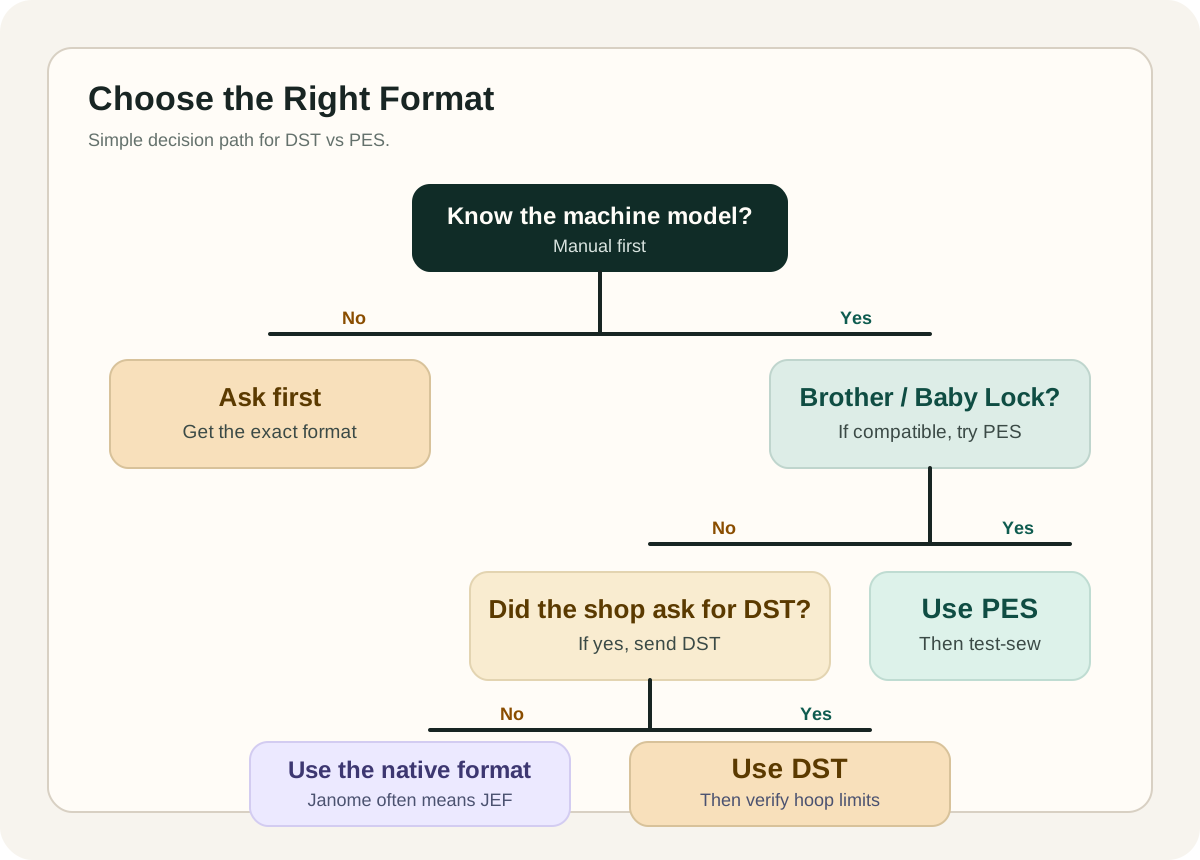
Janome's own format guide says JEF is the default stitch-data format for Janome and Elna embroidery machines. Janome product pages also show that format support varies by model: some machines list only JEF, while others add DST support.
That is why blanket advice causes trouble. Support changes by brand, model generation, hoop system, stitch limits, color limits, and sometimes even the transfer workflow used to move the file.
Treat every compatibility claim as model-specific. 'Brother commonly uses PES' is directionally useful. 'All embroidery machines read DST' is not.
Avoid This Expensive Mistake
Do not tell buyers, operators, or team members that all embroidery machines read DST. Some do, some do not, and some reject files that exceed hoop, stitch, or color limits even when the extension itself is supported.
How to Choose the Right Format Without Guessing
- 1
Start with the Exact Machine Model
Check the manual or product page for the exact extensions your machine accepts. Do not trust generic advice like 'all machines read DST' or 'Brother only uses PES' without confirming the model.
- 2
If It Is Brother or Baby Lock, Try PES First
When the machine supports PES, start there. It is usually the cleanest everyday format for that ecosystem and avoids the color-preview limitations common with DST.
- 3
If a Shop or Digitizer Asks for DST, Send DST
Many commercial workflows still accept DST as a neutral machine file. That makes it a practical hand-off format when the recipient requests it.
- 4
Validate More Than the Extension
A file can have the right extension and still fail because of hoop size, stitch count, color-count limits, USB formatting, or bad naming. Confirm the machine limits before blaming the format.
- 5
Run a Test Sew-Out
Preview the design, remap colors if needed, and stitch it on matching fabric with the right stabilizer. File compatibility only tells you the machine can open it. It does not prove the design will sew cleanly.
Quick Rules That Prevent Expensive Mistakes
- Use PES first for compatible Brother and Baby Lock machines.
- Use DST when a shop, machine operator, or mixed-brand workflow specifically asks for it.
- Do not assume DST is universal. Check the exact machine model.
- Do not judge a DST file by screen colors alone. Default preview colors are normal.
- Do not expect file conversion to repair bad underlay, density, sequencing, or pull compensation.
- Keep filenames simple and stay inside the machine's hoop, stitch, and color limits.
Can I convert DST to PES without changing the sew-out?
Sometimes, but be careful with the promise. A simple conversion can preserve the stitch path fairly well, yet it cannot recreate information the source file never stored. If the source was DST, specific thread color information was not in the file to begin with. Conversion also does not improve bad digitizing. Always preview and test-stitch after converting.
Why do DST colors look wrong on my machine or in software?
Because DST does not contain specific thread color information. Brother states that compatible machines display DST using a default thread-color sequence, so the preview colors can look odd until you remap them.
Is DST better quality than PES?
No. File extension is not the same thing as embroidery quality. Stitch quality comes from digitizing decisions such as underlay, density, sequencing, travel path, and pull compensation. A well-digitized design can be exported to both formats. A bad design will still sew badly in both.
What should I send to customers or buyers?
Match the file to the buyer's machine, not to internet myths. If you know they use a compatible Brother or Baby Lock machine, PES is usually the safest first choice. If you sell more broadly, offer a small bundle of common machine formats such as PES, JEF, and DST, and tell buyers to confirm machine compatibility, hoop size, and machine limits before stitching.
Need a Clean Embroidery-Ready File?
If the design has to sew correctly on a real machine, file extension is only one part of the job. Good digitizing decisions matter more than a quick conversion.
See Embroidery Digitization Service
Comments
Loading comments...