Clean SVG input
Best for path-based artwork, logos, labels, diagrams, and line-graphic SVG. Live text, raster images, masks, filters, gradients, and complex effects should be flattened before upload.
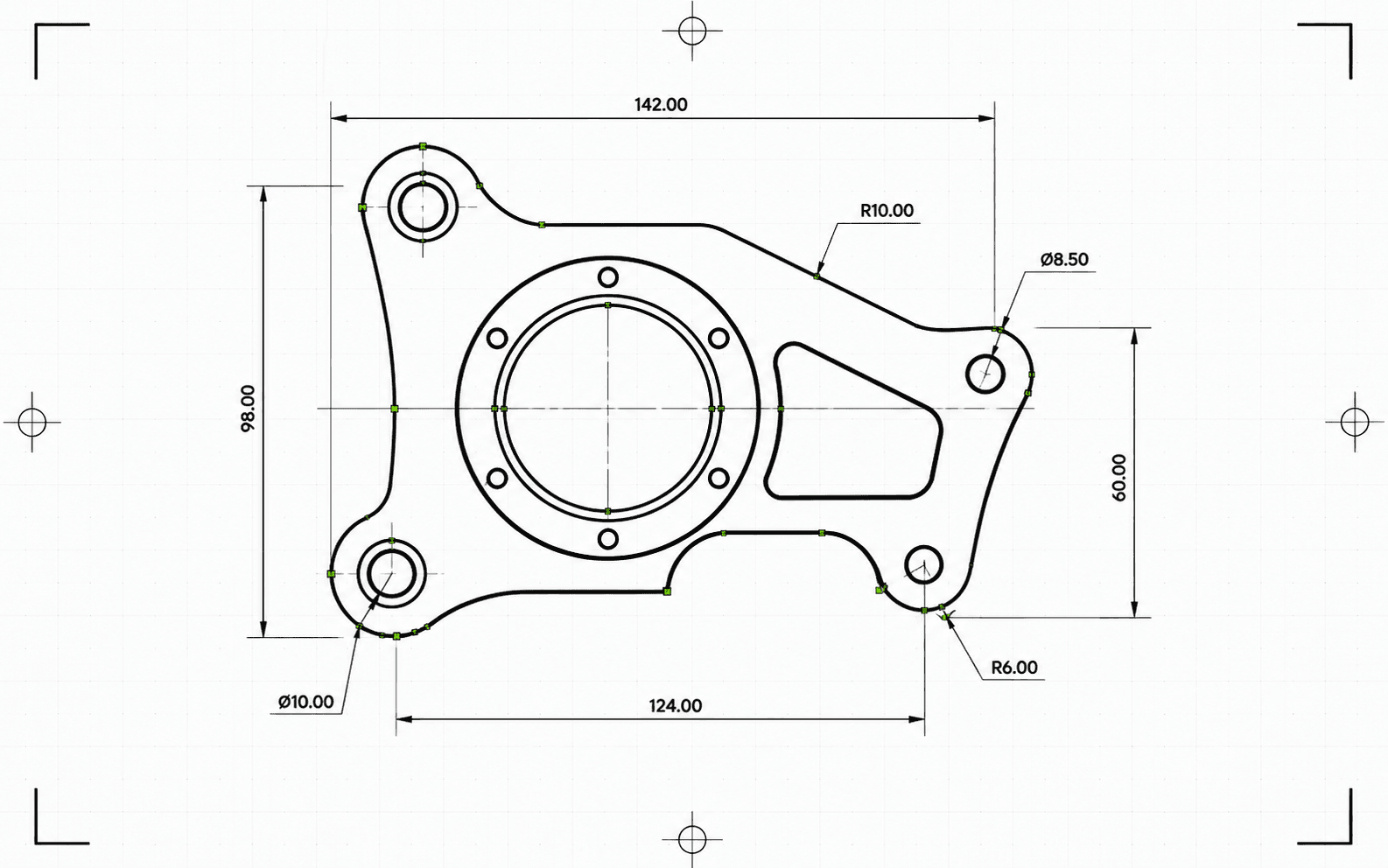
Pixel2Lines converts path-based SVG files to DXF R2010 in millimeters. Bezier curves are tested against a circular tolerance and written as true arc entities where the fit passes — rather than being flattened to polyline segments. SVG colors map to DXF layers: red paths to Cut, blue to Score, green to Engrave. Black and achromatic paths default to Cut. Semantic group IDs (CUT_HOLES, CUT_OUTER, DETAIL) are preserved as exact DXF layer names. Geometry is cleaned before writing: short segments, duplicate entities, and near-gap open paths are resolved automatically.
Before converting, the pipeline validates the SVG: live text blocks the job with a specific error, and SVGs without explicit physical dimensions are blocked rather than silently scaled. Gradients, masks, filters, and clip paths are skipped with warnings — they must be flattened in your SVG editor first. You receive a DXF file and a JSON report with status, blockers, warnings, confirmed dimensions, entity counts per layer, cleanup actions taken, artifact size, and checksums.
Convert path-based SVG files to DXF R2010 in millimeters with verified scale, arc-accurate geometry, and a JSON report for every conversion.
Best for path-based artwork, logos, labels, diagrams, and line-graphic SVG. Live text, raster images, masks, filters, gradients, and complex effects should be flattened before upload.
Physical dimensions are treated as a requirement. SVGs with explicit width and height in mm, cm, or inches are converted at their declared size. ViewBox-only SVGs without physical units are blocked — the DXF is not produced at an unverified scale. The output DXF declares millimeters in its header ($INSUNITS=4).
Bezier curves are fitted against a circle using a 5-point sample at 0.01 mm tolerance. Curves that pass are written as ARC entities; curves that do not are approximated as line segments at the same tolerance. After writing, the DXF is validated: units header, finite extents, entity counts, and coordinate validity. The output is R2010 format, readable by AutoCAD, LightBurn, RDWorks, Fusion 360, and standard CAM software.
Download the validated DXF file and a JSON report with status, warnings, blockers, dimensions, layer assignments, entity counts, cleanup notes, byte sizes, and checksums. Entities in the DXF are ordered for cutting: interior shapes before outer outlines, so inner cutouts complete before surrounding material is freed.
Focused on trustworthy 2D SVG-to-DXF geometry conversion for CAD, laser software, and CAM handoff. Raster images, live text, masks, filters, gradients, and complex visual effects must be flattened first. CNC toolpath generation and router CAM operations are not included.
DXF R2010 output in millimeters for CAD import, laser software, CAM handoff, and vector archiving.
Structured preflight and delivery report with status, blockers, warnings, dimensions, layers, entity counts, cleanup actions, and checksums.
Use a path-based SVG with real vector geometry. Convert live text to outlines and flatten embedded images, masks, filters, clip paths, gradients, and other visual effects before upload.
The converter checks for unsupported SVG features, transparent or invisible geometry, and missing physical dimensions. Jobs that would produce unreliable output are blocked with a specific error before the DXF is written.
Download a validated DXF R2010 file and a JSON report with checksums, byte sizes, and entity counts. Warnings and blockers are included in the report when issues were detected during conversion.
Prepare SVG logos, layouts, labels, drawings, and diagrams for CAD applications that need DXF input.
Convert clean vector paths into DXF with Cut, Score, Engrave, or semantic production layers where the SVG supports them.
Create a DXF exchange file for downstream CAD/CAM setup. Toolpaths, Z-depth, tabs, pocketing, and cutter compensation remain in CAM software.
Store client artwork and production drawings in a CAD-friendly vector format with report-backed provenance.
Use color and supported group semantics to organize DXF layers such as Cut, Score, Engrave, CUT_HOLES, CUT_OUTER, and DETAIL.
Run a dry-run conversion to detect unsupported features, ambiguous dimensions, and geometry problems before starting a full conversion.
Clean path-based SVG files work best. Flatten embedded images, live text, masks, filters, gradients, clip paths, external CSS, and unsupported effects before upload.
The output uses LINE, ARC, CIRCLE, and LWPOLYLINE entities — the types supported by AutoCAD, LightBurn, RDWorks, Fusion 360, and most laser controllers. No SPLINE entities are written, which ensures compatibility with older machine controllers. Bezier curves that match a circular shape within 0.01 mm are written as ARC entities; others become line segments at the same tolerance. Complete circles are detected and written as CIRCLE entities.
SVGs with explicit width and height in mm, cm, or inches are converted at their declared dimensions. Pixel-based SVGs use 96 DPI by default. ViewBox-only SVGs without explicit physical units are blocked — the DXF is not delivered at an unverified scale.
You receive a DXF file and a structured JSON conversion report with status, blockers, warnings, dimensions, entity and layer counts, validation details, artifact sizes, and checksums. CNC router toolpaths, Z-depth, tabs, pockets, lead-ins, feeds, speeds, and cutter compensation remain in CAM software.
